
Class & teams · Free
Random team generator
Make two balanced teams for a quiz, sports practice or a game. Spread experience labels, keep a support pair together and change teammates across saved rounds. Free, with no account or uploads.
- No account
- Runs on your device
- Phone & desktop
Make teams for the next game
Names stay in your browser
Paste up to 300 names. Add a label with a tab or “ | ”, for example Mia | A. Tap a name below to mark someone absent today.
Settings
Only rounds you confirm with “Use this round” count.
Pair rules
Your teams
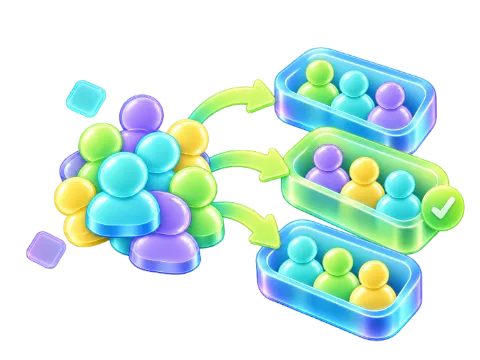
Add names and press Make teams
Drag a name into another group; on a phone, press and hold it first. Or tap a name, then another name to swap them, or a group heading to move it there.
Ready when your class is.
Classes & memory
History
A class you can come back to Save names, rules and up to 40 confirmed rounds on this device. Export a class file to carry them to another browser.
Rules can conflict The shuffle looks for a good fit within a short search. If a rule cannot be kept, the result names it so you can adjust the groups.
Two teams ready for the next game
Paste the players’ names and press “Make teams”. Two teams with color names are selected to start. Change the number for a tournament or use “People per group” for fixed team sizes. Tap anyone sitting out today before the draw.
For an odd number, the default gives one team an extra player. Choose one smaller group if that suits your game better, then check the sizes before you start.
What the fair shuffle considers
Without rules or saved history, a Fisher–Yates shuffle gives each person the same chance of landing in each group. With conditions, the generator tries several arrangements and improves them by swapping people. It keeps the requested sizes first, then favors pair rules, new partners and even label mixing.
This is a short search, not a proof that the best possible arrangement has been found. Check any named rule warnings before using the round.
New partners across lessons
Leave “Avoid repeat partners” on and confirm a result with “Use this round”. Only confirmed rounds count; shuffling through previews does not fill the history. Recent partners carry more weight than older ones.
After several lessons, some repeats become unavoidable, especially with large groups. The result shows how many pairs are new and how many have already worked together in the last 40 saved rounds.
Keep people apart, together or evenly mixed
Add a keep-apart rule for people who need separate working spaces, or a keep-together rule for a support partner. Together rules link into clusters, so A with B and B with C also links A with C. A cluster bigger than a group produces a warning.
Labels are yours to choose: A/B/C for experience, girl/boy if useful for your activity, or leader/member to spread leaders. Add a label after a tab, “ | ” or “ ; ” and turn on label mixing. Labels guide the balance; they are not fixed quotas.
Sports, quiz nights and club activities
For sports practice, label players by experience and turn on mixing to spread those labels. For a quiz, use topics such as science or music if you want different strengths on each team. The tool balances labels; it cannot measure ability or guarantee equal playing strength.
Present the color cards for everyone to see, or print them for different stations. Save the round after any hand adjustments so the next draw considers the teammates who actually played together.
More ways to split your list
Frequently asked questions
How do I create two random teams?
Paste your players and press “Make teams”. Two teams are preselected, and their sizes differ by at most one with the default leftover setting.
Can I balance teams by skill?
Add skill labels such as A, B and C after the names, then turn on label mixing. The generator spreads each label, but it does not know individual ability beyond the labels you provide.
Can I change a player after the draw?
Yes. Drag a name to another team, or select two names to swap them. Confirm with “Use this round” after your changes so the correct teammates enter the history.
Is the group generator free without an account?
Yes. You can create groups, save classes in this browser and export files without signing up. There is no daily limit.
Are names uploaded anywhere?
No. Names are processed in your browser and never sent by the tool. When device saving is on, classes remain in this browser’s local storage until you delete them.
Will my class still be here next week?
Yes, if device saving stays on and your browser keeps its local storage. Private browsing, clearing site data or using another browser can remove or hide it; export a class file as a copy.
Take a break

