The short answer
Open Tiny Skies Airport, tap planes with the takeoff badge to clear them, and spend the coins on the Terminal and on Gates. Gates level 3 opens your second gate. From there, open routes for higher ticket income and come back later: flights keep leaving while you are away.
Play free in your browserSee the steps in action
A short recording of the real game, without sound. Turn on captions for the steps in your language. The text below explains the same.
Open or download the video · 0.7 MB · 24.3 s
Each step is also explained in writing.
- Planes land, board and take off by themselves.
- Tap a plane with the takeoff badge to clear it.
- Every takeoff pays. Upgrade the Terminal and Gates.
- A busy airport: buildings grow with every upgrade.
- Open new routes and collect passport stamps.
What kind of game it is
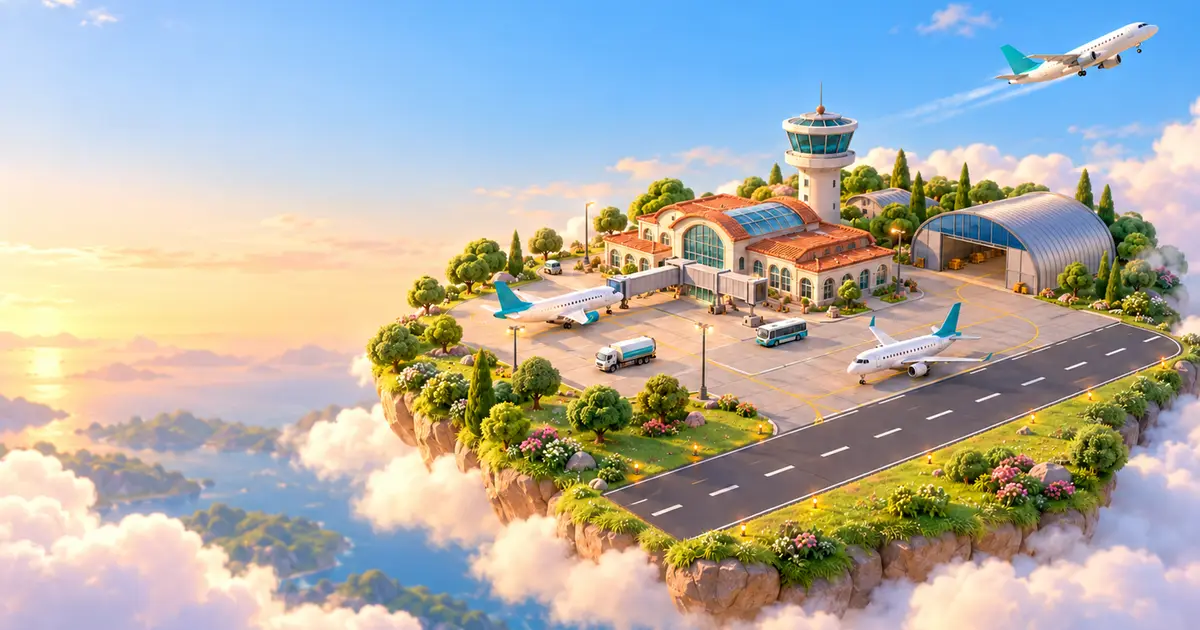
Tiny Skies Airport is an idle tycoon seen from above, like a living miniature model. Planes land on the runway, taxi to your gates, board their passengers and take off again without any help. Every takeoff pays coins, and coins buy upgrades that make the whole cycle faster and bigger.
You never have to react quickly. Playing actively simply speeds things up: a tap clears a waiting plane at once instead of waiting for the control tower, and a tap on a boarding plane hurries its passengers along. That makes it a game for a coffee break, a bus ride or the moment a download is running.
Your first ten minutes
Clear the first plane
When a plane at the gate shows the takeoff badge, tap or click it. At the start the control tower waits eight seconds before it clears a plane by itself, so your taps are worth a lot.
Upgrade the Terminal
Open "Upgrades" and buy a Terminal level. Passengers board faster, so planes leave sooner.
Bring Gates to level 3
Gates level 3 opens the second gate, and two planes now board at the same time. Later gates open at levels 8, 18, 32, 50, 75 and 105.
Open your first route
In "Routes", the first destination costs 180 coins. Every destination adds 8% to every ticket you sell, for good at this airport.
How the airport grows
Seven facilities can each reach level 150, and the airport visibly changes as they grow. The terminal gets bigger as you add gates, the control tower is rebuilt at levels 25 and 75, shops and a roof lounge appear, and a second runway opens at Runway level 40.
| Facility | What it improves |
|---|---|
| Gates | Number of gates (up to 8) and income per flight |
| Terminal | Boarding speed |
| Runway | Time between takeoffs and landings, second runway at level 40 |
| Control Tower | How fast waiting planes get clearance on their own |
| Shops & Lounge | Income per passenger |
| Hangar | Bigger aircraft: six types from bush plane to jumbo |
| Fuel Depot | Faster taxiing and turnaround |
Why it fits into short breaks
Your airport saves in this browser by itself, also when you close the tab. When you come back, a card shows how many flights left while you were away and what they earned. At first it counts up to two hours; with stars you can raise that to eight hours.
Three daily goals, a bonus chest and a seven-day gift calendar give you something small to finish every day. Stars from goals and 24 achievements buy a 30-minute income boost, an hour of income at once, longer offline time or new tail colours for your planes.
Routes, passport stamps and new airports
There are 36 destinations in six regions, from Lisbon to the Galápagos. Each one adds a passport stamp, and a complete region raises your income by another quarter. Every few minutes a VIP charter asks for a gate and pays a bonus, and now and then a golden plane crosses the sky: tap it for two minutes of income.
Once you have earned enough at one airport, you can move to the next: Meadow Field, Seabreeze Regional, Alpine International, Sunstone Hub and Metropolis Global, each with its own landscape and music. Coins, upgrades and routes start over, but you keep stars, stamps and liveries and earn Wings. Each Wing adds 4% to your income at every airport that follows.
Questions you might still have
Is Tiny Skies Airport free?
Yes. It runs in your browser on loschazgames.com without an account, a download or purchases.
Does it work on a phone?
Yes. It plays in portrait and landscape. Drag to look around, pinch to zoom and tap planes to clear them. On a phone you can fold the panel away by tapping the open tab again.
Will my airport be there tomorrow?
Yes, in the same browser on the same device. Clearing site data or a private window removes it, and progress does not sync between devices.
Sources & useful details
- Tiny Skies Airport on LoschaZ Games
- MDN: Web Storage API — how browser games save progress on your device
The recording shows the real game in a browser, played by our team. Your airport may look different depending on your progress and screen.