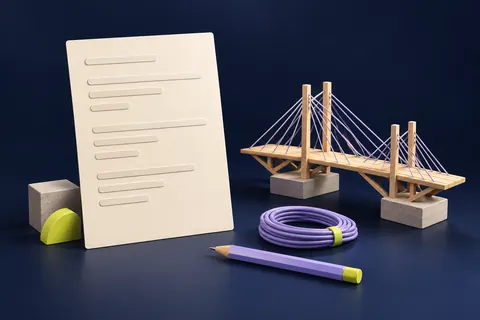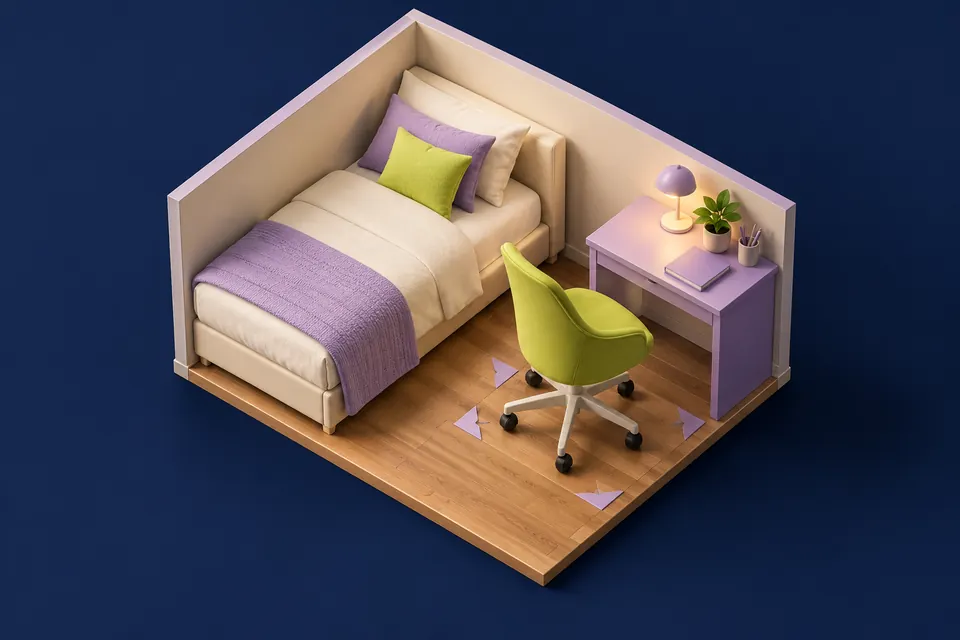
The first checks, in pictures
Start with these three checks. The pictures are simplified; the steps below explain the details.
Measure fixed furniture
Record actual desk, bed and room dimensions.
See this step — Measure fixed furnitureAdd the occupied chair
Mark where the chair sits while you work and stand up.
See this step — Add the occupied chairWalk the real route
Test the outline on the floor and keep required access clear.
See this step — Walk the real route
A desk is listed as 120 by 60 cm, and the gap beside the bed is bigger than that. It sounds like a fit. But the footprint on the shop page does not include pulling out the chair, opening a drawer or walking past someone who is seated. Before buying, test the room as a place you move through. You need a tape measure, a few sheets of paper or cardboard and, if the floor permits it, removable tape tested on an inconspicuous spot. Space Studio can then help you compare the measured layouts.
The first useful check
Mark the desk footprint, place the actual chair and sit down. Stand up, open nearby storage and walk the usual route. Measure the furniture while it is being used, not only while everything is pushed in.
Which situation sounds like yours?
Desk fits, chair does not
Measure the occupied chair and standing-up movement.
Drawer hits the bed
Mark the drawer's open position separately.
Plan works only with the door closed
Recheck opening space and required access.
Everything fits on screen
Test the same dimensions on the real floor.
Step 01
Measure the usable room, including awkward edges
Measure between the surfaces furniture will actually meet. Note skirting boards, radiators, a projecting windowsill and any fixed cupboard. Record doors and windows with their positions and the space needed to operate them. A neat rectangle drawn from wall-to-wall dimensions can hide the few centimetres that make a real desk fail to sit where the plan suggests.
Use one unit system throughout the sketch. Space Studio supports metric and US units, so you can work in the units you understand. Keep the original measured values and avoid repeatedly rounding conversions. Mark uncertain measurements for a second check. A plan is only as dependable as its inputs; the tool cannot see a radiator, cable or sloping ceiling that you did not account for.
Step 02
Give moving furniture a second outline
Draw the desk's fixed footprint first. Then add a separate outline for the chair in the position you actually use. Repeat for a wardrobe door, drawer or under-bed storage that opens into the same space. These outlines need not all be occupied at once, but they reveal which daily actions compete for the same patch of floor.
Do not adopt a clearance number as a universal rule. Body size, mobility aids, the actual chair and the room's use affect what works. Try the movement yourself and accommodate everyone who uses the room. Keep exits and required access clear, and follow relevant building, fire and manufacturer requirements. A room-planning tool is not an accessibility or building-code certification.
Step 03
Make a floor mock-up before moving heavy furniture
Place paper or cardboard at the corners of the proposed desk. If you use removable tape, check that it is suitable for the floor and remove it promptly according to its instructions. Do not leave loose material where someone could slip. A corner outline is often enough; you do not need to cover the whole floor with a solid paper rectangle.
Put the actual chair in front of the outline and perform ordinary actions: sit, lean back within its normal use, stand and step away. Ask another household member to walk the route you expect to remain open. Check the awkward case, such as passing while the chair is occupied. A layout that works only when every object is carefully tucked away may not suit your routine.
Step 04
Compare two layouts with the same measurements
Enter the room and furniture in Space Studio, then compare a desk along one wall with a rotated arrangement. Move openings to their measured positions and reserve the space they need. Keep furniture dimensions consistent between options. If one plan looks better because the bed quietly became smaller, it is not a meaningful comparison.
Use the tool's overlap and clearance feedback as prompts to inspect the real room. Look at the path from door to bed, access to storage and the chair's working space. The tool represents a simplified floor plan; it does not model every hinge, cable, heat source or person. Keep the physical mock-up as the final reality check before ordering or moving anything heavy.
Compare your measured layouts
Add your room and furniture dimensions in Space Studio. Rotate furniture and compare its working space before trying the arrangement on the floor.
Open Space StudioStep 05
Solve the narrowest conflict, not the whole room
If the chair and bed conflict, first identify the exact overlap. A shallower desk, a different orientation or a less bulky chair may address it more directly than replacing every item. Check the actual product dimensions, including handles and legs. A folding or wall-mounted option introduces its own installation and load requirements; follow the manufacturer and obtain permission where needed.
Consider low-cost changes that do not hide the problem. Moving stored items out of the chair path or relocating a freestanding lamp may help. Pushing a desk against a heater or blocking an opening is not an acceptable space-saving trick. Keep cables out of walking routes and use suitable cable management rather than stretching a lead across the room to make the drawing work.
Step 06
Run the room through a normal day
Test the planned arrangement in daylight and with the lighting you use at night. Check screen glare, access to switches, curtains and everyday storage. Imagine carrying laundry or making the bed rather than only standing in the empty room. If two people share the space, test the moments when their activities overlap.
Before buying, confirm delivery access and assembly space as well as the finished footprint. A piece may fit the room but not the stair turn or doorway in its packaged form. Save the measured plan and product dimensions so you can compare alternatives without starting again. The useful result is a layout that supports your routine, not the maximum number of rectangles that can be squeezed into a drawing.
An example you can follow
A 20 cm conflict hidden by the desk footprint
Worked geometry example, not a recommended clearance: an illustrative room is 300 cm wide. A 140 cm bed sits against one side and a 60 cm deep desk against the opposite side. The gap between their fixed footprints is 300 − 140 − 60 = 100 cm. If the actual chair and seated movement occupy 80 cm of that gap, only 20 cm remain behind that occupied space. That does not establish a usable passage. Measure your own movement, test another arrangement and keep required access clear. The calculation shows why an apparently generous gap can disappear during use.
Fixed size versus working space
Use measured values from your room and furniture. These are checks, not universal clearance standards.
| Object | Fixed measurement | Extra action to test |
|---|---|---|
| Desk | Width and depth including projections | Seated work and cable route |
| Chair | Actual base and back dimensions | Pull out, sit and stand |
| Wardrobe | Closed footprint | Open door or drawer fully |
| Room door | Position and width | Open normally with the room in use |
Questions you might still have
Can I use feet and inches?
Yes. Space Studio supports US units as well as metric. Keep measurements consistent within your comparison.
Is a clear-looking plan proof of safe access?
No. Check the real room, the needs of its users and applicable requirements. The tool is a planning aid.
Do I need to buy anything for the first test?
A tape measure and suitable paper or cardboard markers may be enough. Keep the test area free of trip hazards.
Sources & how this guide was made
Written by LoschaZ from the guidance below. The illustration is our own. Worked scenarios are labelled as illustrations; they are not customer stories or tests on every device. For product-specific steps, follow the current instructions for your device, account or item.