Nano Banana is the nickname of Google’s image model inside the Gemini app, and it is at its best when you give it a photo and tell it exactly what to change. The prompts below are written for that: each one says what to keep, what to change and how the light should look, so you get a usable picture in one or two tries instead of ten.
Every prompt has a short note on why it works and what to swap. Words in square brackets are placeholders, so replace [city] or [color] with your own choice before you send it.
The short answer
Open Gemini, upload your photo, paste one prompt and replace the words in brackets. If the face drifts, add “Keep my face, hairstyle and expression exactly the same” at the start and try again in the same chat.
What makes a good Nano Banana prompt?
Nano Banana follows plain sentences well, so you do not need special codes or weights. What it needs is order. Start with what to keep from your photo, then describe the change, then the light and camera feel, and end with the format. A prompt that only says “make it cinematic” leaves too much to chance; “warm side light from a window, shallow depth of field, 85mm portrait look” gives it something concrete to build.
Short follow-ups work too. Because Gemini remembers the conversation, you can send “same picture, but the jacket in dark green” after the first result instead of writing everything again.
How to use these prompts in the Gemini app
The steps are the same on a phone and on a computer.
- Open the Gemini app or gemini.google.com and start a new chat.
- Tap the plus or image button and upload one clear photo with a visible face.
- Paste a prompt from this page and replace every word in square brackets.
- Check the result at full size before you share it: hands, text and jewelry are where mistakes hide.
- Ask for one change at a time if you want to fine-tune it.
Why does Nano Banana change my face?
Most face changes come from prompts that ask for a big new scene without saying what must stay. The model then treats your face as one more thing it may redesign. Put the keep instruction first, use a sharp photo taken from the front, and avoid asking for a new age, body shape and setting in the same message. If one result looks off, ask it to fix only that part rather than starting over.
14 prompts to copy and adapt
Studio portrait that keeps your face
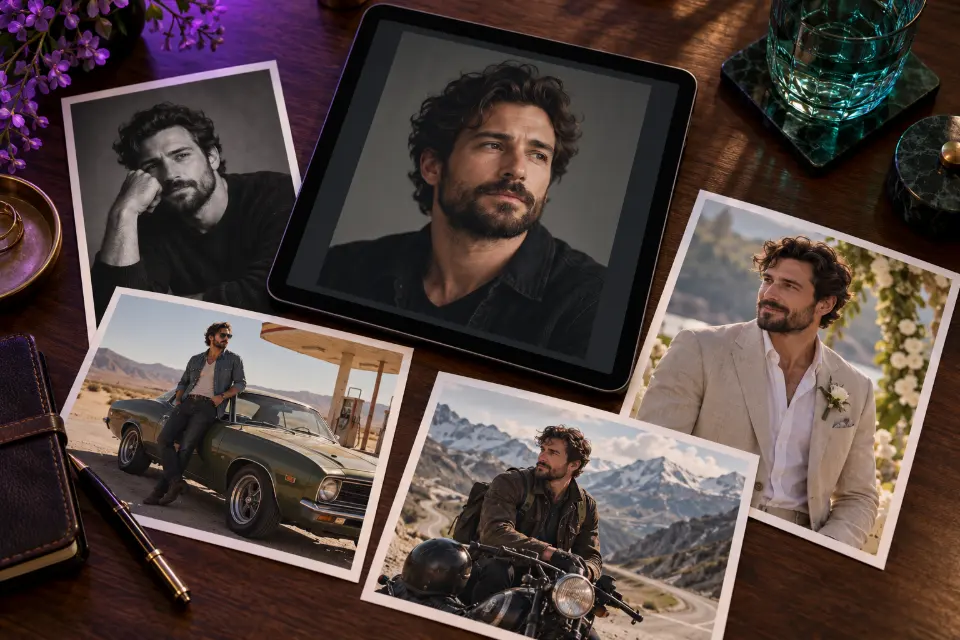
Using my uploaded photo, keep my face, hairstyle and expression exactly the same. Turn it into a professional studio portrait on a soft charcoal gray backdrop, with large softbox light from the left, a gentle fill from the right and natural skin texture. Plain [color] sweater, shoulders slightly turned, sharp eyes, 85mm portrait look, 4:5 format.The keep sentence comes first, which is what protects your features. Swap the sweater color or the backdrop, but leave the light description as it is.
Couple photo at a snowy cabin
Use the two people from my photo and keep both faces exactly as they are. Place them in the doorway of a wooden cabin in fresh snow at dusk, wrapped in a shared plaid blanket, warm golden light glowing from inside behind them, soft snowflakes falling, slight film grain, candid and relaxed, 4:5 format.Light from behind gives the warm edge glow people love in winter photos. Works for friends and siblings too: just remove the shared blanket.
1990s disposable camera snapshot
Keep my face and pose. Restyle this photo as a 1990s disposable camera snapshot: direct on-camera flash, slightly overexposed foreground, dark background falloff, warm color cast, visible film grain, a faint orange date stamp in the lower right corner reading [date], and clothes that fit the era.The flash and the dark background falloff do most of the work. Put a real date in the brackets, or delete the date stamp if you want a cleaner look.
Collectible figure of yourself on a desk
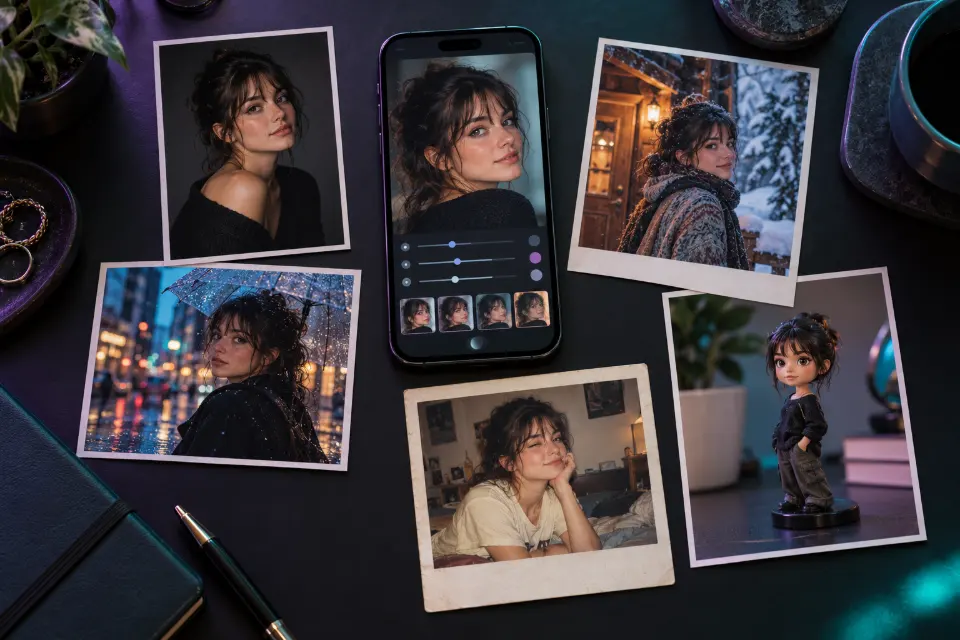
Create a 1/7 scale collectible figure of the person in my photo, keeping the face recognizable. The figure stands on a round transparent acrylic base on a wooden desk, next to a computer screen showing its 3D modeling file and a printed box with the same character art. Realistic product photo, soft daylight, shallow depth of field.This is the figurine trend that went viral in Gemini. Add the outfit or a prop in one extra sentence, for example “holding a coffee cup”.
Sharpen a blurry photo without a new face
Improve the quality of this photo without changing the person. Keep the face, features, expression, pose, clothes and background exactly the same. Remove blur and noise, recover fine detail in hair and fabric, keep natural skin texture with no smoothing, correct the white balance and output a sharp high-resolution version.The long keep list is deliberate: enhancement prompts are where faces drift most. If skin looks plastic, add “keep pores and small marks visible”.
New background with matching light
Keep me exactly as I am, including my clothes and pose. Replace the background with a city street at night in [city], with blurred shop lights and wet pavement reflections. Match the lighting on my face and clothes to the new scene, add a subtle neon rim light on one side and keep the depth of field shallow.Asking it to match the light is what stops the cut-out look. Name a real city for recognizable details, or write “a busy city” for a neutral version.
Clean product photo on marble
Use the product from my photo and keep its shape, label and colors exactly the same. Place it on a white marble surface with a soft beige wall behind it, morning window light from the right, a soft natural shadow, a few [ingredient or prop] scattered at the front for scale. Premium e-commerce photo, sharp label, 1:1 format.Shop listings need the label to stay readable, so the keep sentence names it. Pick a prop that tells buyers what the product does.
Cinematic portrait in the rain
Keep my face and expression. Turn the photo into a cinematic film still: I stand under a dark umbrella on a rainy street at blue hour, rain visible in the backlight, a warm café window glowing behind me, teal and orange color grading, anamorphic lens look, 21:9 widescreen.Backlight is what makes rain visible, so do not remove it. The wide format alone already makes it feel like a movie frame.
Your pet as a royal oil painting
Turn the pet in my photo into a classic royal oil portrait. Keep its exact fur color, markings and eye color. Dress it in a red velvet cape with gold embroidery, seated on a carved wooden chair, dark green background, Rembrandt-style window light, visible brush strokes and a slightly cracked varnish finish.Naming the markings keeps it your pet and not a generic one. It makes a good printed gift; ask for 4:5 or 3:4 if you plan to frame it.
Put two people from different photos together
I am uploading two photos. Take the person from the first photo and the person from the second photo and place them side by side at a beach bonfire at sunset, laughing as if the photo was taken in one moment. Keep both faces exactly as they are, match the light and color on both people, and keep their heights realistic.Heights and light are what give a merged photo away. Upload both photos in the same message, then send the prompt.
Event poster with readable text
Design a vertical poster for a summer night market. Headline in bold rounded letters: “[event name]”. Below it, smaller text: “[date] · [place]”. Illustration of string lights above food stalls and a warm purple dusk sky, flat vector style with a little paper texture, generous margins, 2:3 format.Text in quotation marks is copied more reliably. Keep each line short; check the spelling in the result before you print it.
Restore and colorize an old family photo
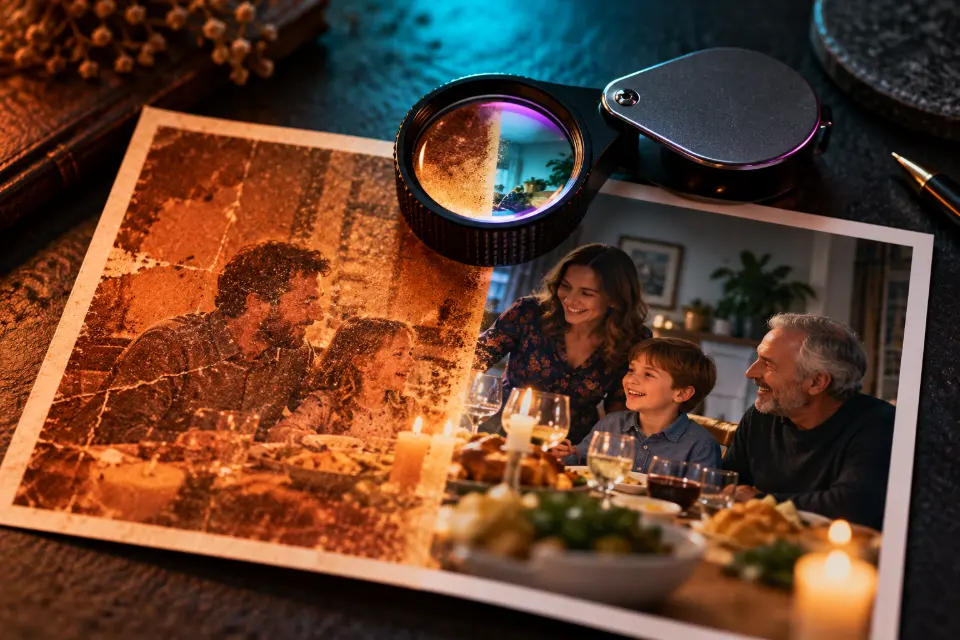
Restore this old photo. Keep every face, the clothing and the composition exactly as in the original. Remove scratches, dust, folds and stains, gently sharpen the faces, then add natural, period-appropriate colors with realistic skin tones. Do not add people, objects or smiles that are not in the original.The last sentence matters: without it, models sometimes “improve” expressions. Keep the scanned original, since a restoration is an interpretation.
Room makeover from a phone photo
Redesign the room in my photo in a calm Japandi style. Keep the walls, windows, doors and floor layout exactly where they are. Add a low oak sofa, a wool rug, linen curtains, two paper floor lamps and a few plants, warm afternoon light, realistic interior photo from the same camera angle.Keeping the walls and windows fixed turns a fantasy render into a plan you can shop for. Try another style name, such as “mid-century” or “Scandinavian”.
Common mistakes and quick fixes
When a result is close but not right, change one thing and send it again in the same chat.
- Face looks like someone else: start with the keep sentence and upload a sharper, front-facing photo.
- Skin looks plastic: add “natural skin texture, no smoothing”.
- The picture is cropped badly: name the format, such as 4:5 for Instagram or 9:16 for stories.
- Text comes out misspelled: put the text in quotes, shorten it and ask for a second try.
- Too many changes at once: split them into two messages.
Nano Banana or ChatGPT for photo edits?
Both can follow the prompts on this page. In side-by-side tests published by reviewers, Nano Banana is often preferred for photo-real light and skin, while ChatGPT’s image model is often preferred for exact text in images. Results change with every update, so the practical answer is to try the same prompt in both and keep the better one. In Prompt Studio you can switch the model and the prompt wording adapts for you.
Is it okay to edit photos of other people?
Edit photos of people only with their permission, and never create images that could mislead, embarrass or impersonate someone. Google and other providers also block some requests, for example ones involving public figures or explicit content. Images made with Gemini can carry an invisible SynthID watermark that marks them as AI-generated.
Which prompt fits your photo?
| Your photo | Start with | Format |
|---|---|---|
| A selfie with a messy background | New background with matching light | 4:5 |
| A blurry or dark picture | Sharpen a blurry photo without a new face | Same as original |
| An old print from a family album | Restore and colorize an old family photo | Same as original |
| A product for your shop | Clean product photo on marble | 1:1 |
| A photo of you and your partner | Couple photo at a snowy cabin | 4:5 |
Questions and answers
What is Nano Banana?
Nano Banana is the nickname of Google’s Gemini image model. You use it inside the Gemini app or on gemini.google.com by uploading a photo or describing an image in plain words.
Are Nano Banana prompts free to use?
The prompts on this page are free to copy and change. Generating images in Gemini depends on Google’s current plans and daily limits, which change from time to time.
How do I keep my face the same in Nano Banana?
Begin the prompt with “Keep my face, hairstyle and expression exactly the same” and upload a sharp, front-facing photo. Ask for one change at a time and correct small problems in the same chat.
Can I use these prompts in ChatGPT?
Yes. Most of them work in ChatGPT with an uploaded photo as well. Prompt Studio shows each prompt in the wording that suits the model you pick.
Why does Gemini refuse some photo edits?
Google blocks certain requests, such as explicit content and some edits of real public figures. Rephrasing does not help with those; choose a different idea instead.
What does the text in square brackets mean?
Square brackets mark the parts you should replace, such as [city] or [color]. Delete the brackets and write your own word before you send the prompt.