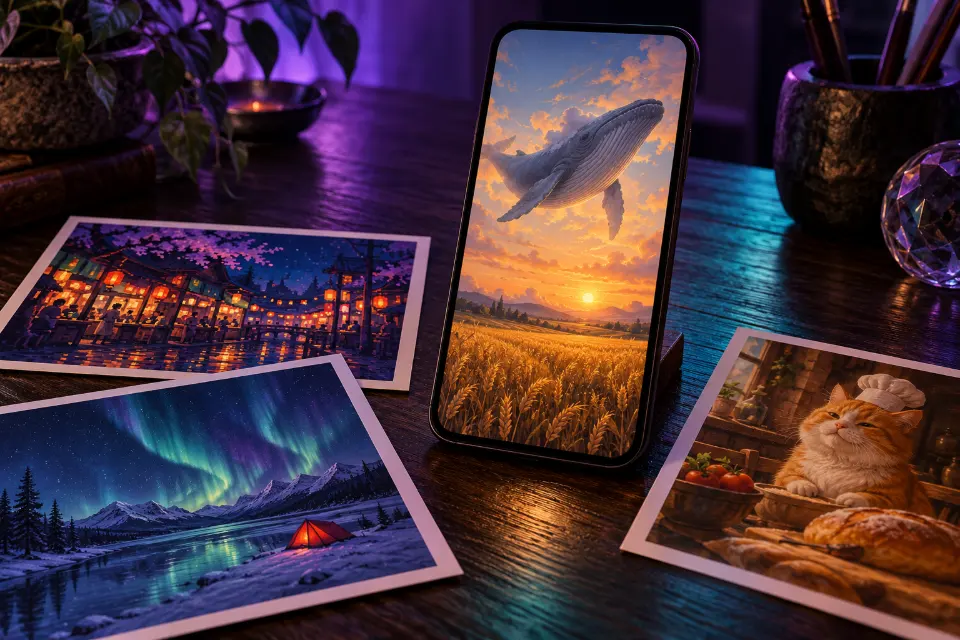
Good Grok Imagine prompts are plain, visual sentences: one subject, one setting, a light source and a style for pictures, plus one clear movement and one camera move for videos. Grok Imagine is xAI’s image and video generator inside the Grok app, and it turns those sentences into pictures or short clips, including clips made from a picture you already have.
The 14 prompts below include eight for images – realistic, anime, pixel art, surreal and funny – and six for video, from animating your own pet photo to a drone shot over an autumn road. There are no “spicy” prompts here; everything on this page is safe to share with family and coworkers.
The short answer
Copy a prompt, replace the words in square brackets and paste it into Grok Imagine. For a video made from a picture, create or upload the image first, then use one of the video prompts as your own motion prompt.
Grok Imagine prompt tips: write one clear scene
Describe what the camera sees, in the order you would notice it: the subject, what it is doing, where it is, how it is lit and what kind of image it is. “Anime-style courier on a rainy country train platform at dusk, glowing vending machine” gives Grok far more to work with than “cool anime picture”.
Keep each prompt to one scene. Grok Imagine handles a clear idea well and gets muddled when a single prompt asks for a city, a beach and a spaceship at once. If a result is close, change one phrase and generate again rather than rewriting the whole prompt, so you can see what each change does.
How to use Grok image to video with your own prompt
Starting from a picture gives you the most control, because the first frame is already decided:
- Create a picture in Grok Imagine, or upload a photo you have the rights to.
- Pick the image you want to animate and choose to make a video from it.
- Write your own short motion prompt: what moves, how it moves and what the camera does.
- Keep it to one or two actions; more than that and faces and objects start to morph.
- If the person or pet changes, add “keep the face and look from the image” and try again.
Grok video prompts: how much motion to ask for
Short clips have room for very little action. A video prompt that works names one main movement (“the cat slowly turns its head toward the camera”), one camera move (“slow push-in”) and the light. Small, physical motions such as hair in the wind, steam rising or a head turn look natural; complicated actions such as dancing in a crowd or juggling tend to fall apart.
Words like “slowly”, “gently” and “subtle” are useful brakes. Without them, video models often add too much motion, and the clip starts to look like a dream sequence. The table below lists camera words that Grok and most other video models understand.
14 prompts to copy and adapt
Realistic rooftop garden at golden hour
Realistic photo of a woman in a linen apron watering tomato plants in a rooftop garden above a busy city at golden hour, warm low sun behind her, water drops sparkling in the light, raised wooden beds, distant buildings softly blurred, 35mm lens, natural skin texture, 3:2 formatThe lens and “natural skin texture” keep Grok from drifting toward an illustrated look. Swap the plants and the city for your own setting.
Anime scene on a rainy train platform
Anime-style illustration of a young courier with a big canvas bag waiting on a small rural train platform at dusk in the rain, a glowing vending machine, puddles reflecting orange station lamps, rice fields and power lines in the distance, hand-painted background style, soft cinematic light, 16:9 formatAnime prompts look richer when the background gets as much detail as the character. Keep the character original rather than naming one from a show.
Funny cat judging a baking contest
Funny photo of a serious orange tabby cat wearing a tiny white chef’s hat, sitting at a kitchen table like a strict judge, staring at a tray of fish-shaped cookies, one paw raised, soft kitchen light, shallow depth of field, realistic fur detail, 1:1 formatThe joke is a serious face in a silly situation. Describe your own pet in the first line and change the food it is judging.
Tilt-shift harbor that looks like a model
Tilt-shift photo of a small harbor town seen from a hill above, colorful houses, fishing boats and tiny people on the pier, strong blur at the top and bottom of the frame, bright saturated colors, sunny morning, the whole scene looking like a miniature model, 3:2 formatThe blur bands at the top and bottom create the toy effect. Try it with a train station, a ski slope or a market square.
Surreal whale above a wheat field
Surreal scene of a huge gray whale drifting slowly through the sky above a golden wheat field at sunset, two farmers on a dirt road looking up, the whale’s shadow sliding across the crops, warm hazy light, realistic photo style, wide shot, 16:9 formatSurreal ideas land when everything except the impossible part looks ordinary. This frame also makes a good start image for a slow video.
Pixel art night market
16-bit pixel art scene of a busy night market street with lantern-lit food stalls, steam rising from noodle pots, a cat on a rooftop, small characters walking, a deep purple sky with stars, limited color palette, clean pixel edges, side view like a retro game level, 16:9 format“Limited color palette” and “clean pixel edges” stop the art from turning into blurry pseudo-pixels. Change the market to a forest village or a harbor.
Couple slow dancing in the kitchen
Warm candid photo of a couple slow dancing barefoot in a small kitchen at night, string lights along the cabinets, dishes from dinner still on the counter, her head on his shoulder, soft golden light, slight film grain, 35mm lens, 4:5 formatAn everyday setting makes the moment feel real. Use it as a still, or as the first frame for the video prompt below.
Aurora phone wallpaper
Vertical night landscape of green and violet northern lights over a frozen lake, a single red tent glowing from inside on the shore, snow-covered pines, stars and a thin crescent moon, long-exposure photo look, deep blue shadows, 9:16 formatOne small warm light in a big cold scene gives the eye a place to rest, and the empty sky leaves room for the clock on your lock screen.
Animate the kitchen dance
From the uploaded image: the couple sways slowly and turns once in a gentle circle, string lights twinkling softly, her hair moving slightly. The camera slowly pushes in toward them. Warm golden light, calm and romantic, both faces kept exactly as in the image.One turn and one camera move are all a short clip needs. If faces change, cut the action down to swaying.
Bring your pet photo to life
Animate my uploaded photo of my cat, keeping its fur color, markings and eye color exactly the same. The cat blinks slowly, then opens its mouth in a big, lazy yawn, whiskers twitching, a patch of sunlight warming its fur. Static camera, soft natural daylight, realistic motion.A blink and a yawn are small motions that video models get right. Use a sharp photo where the whole face is visible, and swap the yawn for a stretch if you like.
Drone shot over an autumn road
Aerial drone shot gliding forward high above a mountain road that curves through a forest in full autumn color, a single red car driving along the bends, morning mist lying in the valleys, soft early sun, smooth steady camera movement, realistic travel video look, 16:9 format“Smooth steady” keeps the move from wobbling, and the small car gives the eye something to follow. Swap the road for a river or a railway line.
Slow orbit around a bowl of ramen
Close-up of a steaming bowl of ramen on a dark wooden counter, chopsticks slowly lifting a few noodles out of the broth, steam curling upward. The camera orbits halfway around the bowl. Warm side light from a paper lamp, shallow depth of field, appetizing food commercial look.Food clips need steam and one slow action. The same structure works for coffee being poured or a slice of pie lifted from the dish.
Puppy with a stick that is too big
Funny static shot at dog height in a sunny backyard: a golden retriever puppy carries a branch far wider than the open garden gate, bumps both ends against the posts, then turns its head sideways and trots through proudly. Bright afternoon light, realistic, comedic timing.The moment the puppy figures out the trick is the punchline, so keep it as the last action. Keep animal humor kind, with no harm to the dog.
City skyline from day to night
Time-lapse of a city skyline seen from a hill, clouds racing across the sky as afternoon turns to night, the sun setting behind the towers, windows lighting up one by one, car light trails appearing on the bridge below. Locked-off camera on a tripod, realistic.A locked-off camera makes the changing light the only movement, which keeps the clip clean. Swap the city for a mountain valley or a harbor.
Grok image prompts that work: quick fixes
When a result misses, a small change usually helps more than a longer prompt. Try one of these at a time:
- Grok ignores part of the prompt: move the missing detail to the start and cut a less important one.
- The video morphs or melts: reduce it to one action and add “slowly”.
- The face changes in image to video: add “keep the face exactly as in the image” and use a sharper start image.
- Too much movement: write “subtle motion” or “static camera”.
- The style drifts between images: repeat the same style words in every prompt of a series.
What Grok Imagine prompts should not ask for
Grok has content rules, and some prompts are moderated or blocked. This page stays well clear of that territory: no explicit content, nothing that sexualizes or humiliates anyone, and no realistic images or videos of real people without their consent. Animate photos of friends or family only with their permission, and never make clips that could pass as real footage of something that did not happen.
If a prompt is refused, rephrasing to get around the rules is the wrong fix. Pick a different idea.
Is there a Grok Imagine prompt generator?
Prompt Studio works as one: pick Grok Imagine, choose a prompt and fill in the brackets, and the wording follows the model. The same ideas move easily to other video models such as Kling, Veo or Seedance; switch the model and Prompt Studio adapts the prompt, adding a sound line only for models that generate audio. Your own details still matter most, though: a prompt with your pet’s markings or your city’s weather beats a generic one every time.
Camera words for Grok Imagine videos
| Camera word | What you see | Good for |
|---|---|---|
| Slow push-in | The camera moves closer | Emotional moments, reveals |
| Pull back | The camera moves away and shows more | Endings, revealing a place |
| Orbit | The camera circles the subject | Food, products, sculptures |
| Tracking shot | The camera follows a moving subject | Walking, running, vehicles |
| Drone shot | A smooth view from above | Landscapes, coasts, cities |
| Static or locked-off | The camera does not move | Time-lapses, funny animal moments |
| Handheld | Slight natural shake | Casual, phone-style clips |
Questions and answers
What is Grok Imagine?
Grok Imagine is xAI’s image and video generator in the Grok app. You describe a picture in words, or start from an image, and it creates still images or short video clips.
Can I use Grok image to video on my own photos?
Yes. Upload a photo you have the rights to, then use a motion prompt such as the pet or couple examples above. Start the prompt with what must stay the same, like the face or the fur markings.
How long should a Grok Imagine prompt be?
One to three sentences is usually enough. For videos, shorter is often better: one subject, one action, one camera move and the light.
Why does Grok Imagine ignore part of my prompt?
Usually because the prompt asks for too much at once. Put the most important detail first, remove anything that competes with it and generate again.
Do these Grok video prompts work in other AI video generators?
Yes. They use plain camera language that Kling, Hailuo, Runway, Veo and Seedance also understand. Clip length and features differ, so check what your chosen app offers.
Why was my Grok Imagine prompt moderated?
Grok blocks content that breaks xAI’s rules, for example explicit material or certain depictions of real people. Choose a different idea rather than trying to work around the filter.