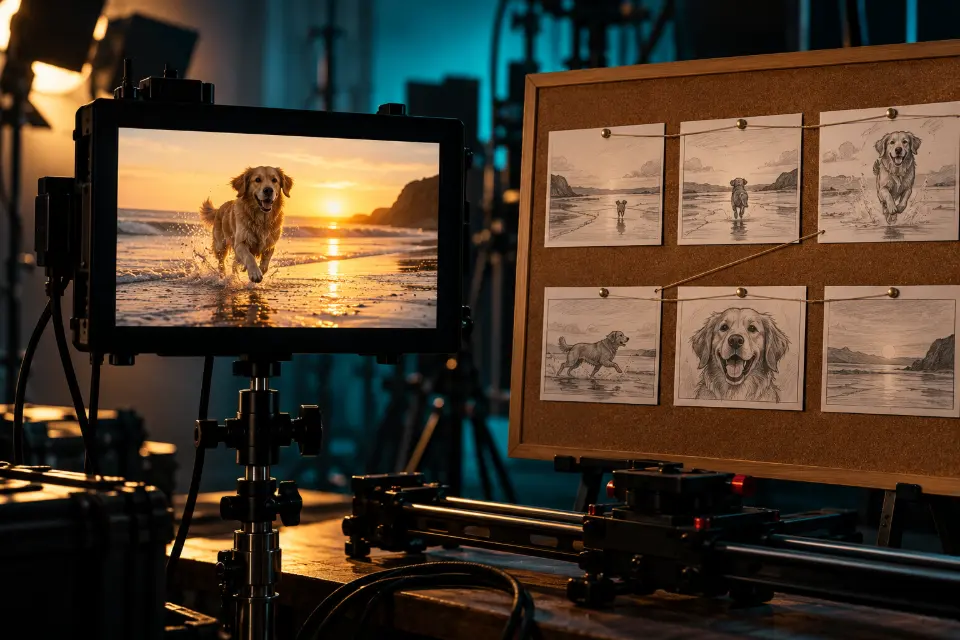
Good AI video prompts describe one shot the way a director briefs a camera crew: what kind of shot it is, who or what is in it, the one thing that happens, how the camera moves, what the light looks like and, for models that make audio, what you hear. That order turns a vague wish like “a cool video of a city” into a clip you can use.
This guide breaks the formula down part by part, shows two rewrites from weak to strong and ends with 13 examples you can copy, each with a note on why it works. Square brackets mark the parts to replace.
The short answer
Pick a prompt below, replace the words in brackets and paste it into your video model. Set the length in the app if it has a duration setting, and keep the sound line only for models that make audio, such as Veo, Gemini Omni or Kling.
What is a video prompt, and how is it different from an image prompt?
A video prompt is the text a video model turns into a short clip. Everything you know from image prompts still applies – subject, light, style, format – but video adds time. The model has to decide what moves, how fast, where the camera goes and how the clip ends, and if you don’t say, it guesses.
That is why video prompts fail in their own way. An image prompt can hold ten details; a video prompt with ten actions turns into a blur of half-finished movements. Treat each prompt as one shot of a few seconds with one or two actions, and build longer stories from several clips.
How to write AI video prompts: the six-part formula
Write the parts in this order. Each one answers a question the model would otherwise answer on its own.
- Shot: wide, medium, close-up or macro, plus the angle, such as low angle or overhead.
- Subject: who or what, with two or three visual details that stay fixed.
- Action: one main movement with a speed, such as “slowly turns her head”.
- Camera: static, slow push-in, tracking from the side, orbit or drone – one move per shot.
- Light and style: time of day, light source, color, film or animation look.
- Sound and length: a short audio line for models with sound, and the duration in seconds.
AI video prompt examples: before and after
Two rewrites show what the formula changes. In both, the second version names what moves and what the camera does, which the first version left to chance.
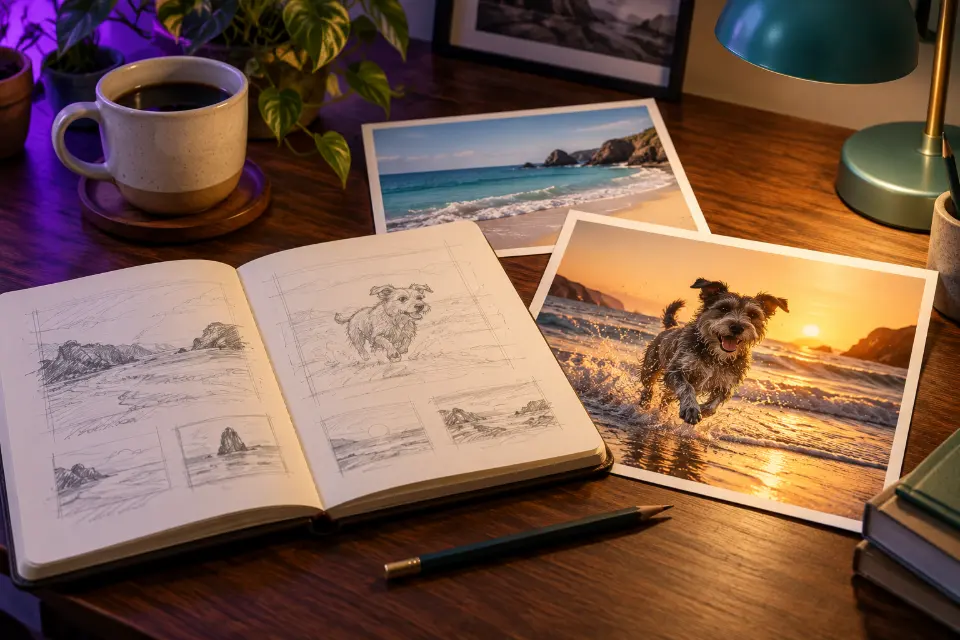
- Before: “A dog on the beach, cinematic.” After: “Low tracking shot following a golden retriever running along the waterline at sunset, sand kicking up behind its paws, camera moving alongside at the same speed, warm backlight.”
- Before: “Someone making coffee, aesthetic.” After: “Macro close-up of hot water pouring in a thin spiral over coffee grounds in a glass dripper, steam rising, static camera, soft window light, slow and calm.”
13 prompts to copy and adapt
Macro coffee pour with sound
Macro close-up of hot water pouring in a thin spiral over dark coffee grounds in a glass pour-over dripper, the grounds swelling and bubbling, steam curling up through a beam of window light. Static camera, very shallow depth of field, warm brown and cream tones, slow calm pace. Sound: a soft trickle of water and quiet kitchen ambience.With a static camera, all the motion comes from water and steam, which models render well. Drop the sound line for models without audio.
Tracking shot of a dog on the beach
Low tracking shot following a golden retriever running along the waterline at sunset, wet sand kicking up behind its paws and small waves washing in. The camera moves alongside at the same speed, keeping the dog in the left third of the frame. Warm backlight, glowing spray, light lens flare, realistic natural motion.“Same speed” locks camera and dog together instead of letting them drift apart. Swap in your own pet’s breed and color.
Street interview with two lines of dialogue
Handheld medium shot on a busy evening sidewalk. A young woman holding a microphone turns to a friendly older man in a flat cap and asks: “What would you tell your younger self?” He laughs and answers: “Buy the bike, skip the car.” Shallow depth of field, shop lights behind them, natural colors. Sound: street ambience, light traffic, both voices clear.Name who speaks before each line, and keep lines short enough to say in a few seconds. Change the question to suit your channel.
Bring a portrait photo to life
Animate my uploaded portrait photo. Keep the face, hair, clothes and background exactly as they are. Add only gentle motion: a slow blink, a soft breath that moves the shoulders, a few strands of hair lifting in a light breeze and a slow camera push-in. Keep the lighting unchanged and the motion subtle and realistic.For image to video, describe only the motion; the picture already holds the look. Big movements on a still face are where drift starts.
Product on a turntable
Product video of a [product] standing on a slowly rotating white turntable, making one full turn. Clean light gray studio background, large soft light from above and the left, a subtle reflection on the glossy base, crisp focus on the label throughout. Static camera at product height, smooth even rotation, premium e-commerce look.One full turn at an even speed gives you a clip that can loop in a shop listing. Check the label in every frame, since text can wobble as it turns.
Drone shot over a rocky coast
Aerial drone shot gliding forward over a rocky coastline at sunrise, then slowly tilting down to reveal waves breaking against the cliffs below. Soft golden light, long shadows, mist over the water, deep turquoise sea, smooth stabilized movement, realistic travel film look, 16:9.The tilt is the one camera change in the shot; adding a turn as well would split the move. Name a real coast for recognizable rock shapes.
Rain on a window, made to loop
Static close-up of raindrops running down a window at night, blurred city lights in amber and teal behind the glass, a slow steady rhythm of drops joining and sliding down. No people, no camera movement, soft focus background, calm mood, a gentle repeating motion that loops smoothly.A still camera and no people make loops easy to cut. Use it behind a livestream, a playlist or a study video.
Overhead cooking shot with sizzle
Overhead shot looking straight down at a wooden cutting board. Two hands slice a red bell pepper into thin strips with a chef’s knife, then slide the strips into a hot pan at the top of the frame. Bright daylight, clean kitchen counter, natural colors, steady camera. Sound: crisp knife taps on the board, then a loud sizzle.Two actions in a row is the limit; a third step usually comes out rushed. Hands are hard for every model, and a top-down view with simple cuts gives them a fair chance.
Two beats: a door opens, snow blows in
Medium shot inside a dim wooden cabin. A woman in a thick sweater opens the front door, and a gust of snow blows in around her, lifting her hair. Warm firelight inside, cold blue light outside, the camera holding still at chest height. Realistic, slight film grain, slow motion on the snow.Two beats, the door and the snow, fit one clip. If the model rushes them, generate the second beat as its own shot.
Stop-motion clay fox baking bread
Stop-motion clay animation of a small orange fox in an apron sliding a loaf of bread out of a brick oven, then proudly holding it up. Handmade clay textures with visible fingerprints, miniature bakery set, warm practical lights, slightly jerky stop-motion frame rate, cozy children’s film style.Fingerprints and a jerky frame rate sell the handmade look. Swap the fox and the bread for any animal and any task.
Slow-motion splash
Extreme slow motion of a strawberry dropping into a glass of sparkling water, a crown of droplets rising and bubbles bursting around it. Black background, a single hard light from the side making every droplet glow, static macro camera, crisp detail, high-speed camera look.A black background and one side light keep the droplets readable. Use your own fruit or a small product.
Day-to-night city time-lapse
Time-lapse from a high balcony overlooking the [city] skyline as day turns to night, clouds racing across the sky, the sun setting behind the towers and office windows switching on one by one. Locked-off camera, wide lens, rich blue hour colors at the end, realistic.“Locked-off” keeps the camera in place, so all the change comes from the light. Use a real city or write “a modern city”.
Orbit shot around a dancer
Slow orbit shot circling a dancer in a loose white shirt who spins once in an empty concrete warehouse, dust floating in tall beams of afternoon light from high windows. The camera completes a half circle at waist height, the dancer stays centered and sharp, soft contrast, muted warm colors, realistic.One spin and a half orbit keep body and camera from fighting each other. Move it to a beach or a studio for a different mood.
Image to video prompts: describe the motion, not the picture
A text to video prompt has to describe everything: the place, the people, the light and the motion. When you start from an image, the picture already answers most of that, and repeating it can make the model redraw parts you wanted to keep. Open with “Keep the face and background as they are” and spend the rest of the prompt on motion: what moves, how far and how fast, and what the camera does.
Small motion is safer with photos of real people. A blink, a breath and a slow push-in look natural; a full head turn or walking out of frame is where faces start to change.
Camera movements for AI video prompts
Video models know the basic film terms. Use one per shot and give it a speed.
- Static or locked-off: the camera stays put and all motion comes from the scene.
- Push-in and pull-out: the camera moves closer or farther away, for emotion or reveals.
- Pan and tilt: the camera turns left and right, or up and down, from one spot.
- Tracking shot: the camera travels alongside a moving subject.
- Orbit: the camera circles the subject, usually a half or full circle.
- Drone or aerial: high and gliding, for landscapes and opening shots.
- Handheld: slight natural shake, for vlogs and documentary moments.
Do you need an AI video prompt generator?
A video prompt generator helps with structure, not with ideas. A useful one puts your words in the right order, reminds you of the camera and light lines you forgot and adapts the wording to the model. Prompt Studio on this site works that way: pick a model, and it adds a sound line only where the model makes audio, lists negative terms separately for Kling, which has its own field for them, and turns them into an “Avoid:” sentence for the rest.
What no generator knows is what you want to see. Write the core of the shot yourself – the subject and the one action – and let the tool handle the rest.
Questions and answers
Are these AI video prompts free?
Yes, copy and change them as you like. Generating the clips depends on each video app’s plans and limits, which change often.
Is there an AI video prompt template I can reuse?
Use this one: “[Shot] of [subject] [one action], [camera move], [light and style]. Sound: [what you hear].” Fill every bracket, delete the sound line for models without audio, and set the length in the app.
What should go in AI video negative prompts?
Short terms for what you don’t want, such as “blurry, warped hands, text, watermark”. Kling has a separate field for them; for other models, add one sentence at the end that starts with “Avoid:”.
How many seconds should I ask for?
As long as the action needs: three to six seconds for one movement, eight to ten for a camera move with a reveal. Kling 4.0 and Seedance 2.5 were announced with up to 30 seconds per shot, but longer clips need a simple, steady action.
Which AI video models make sound?
Veo 3.1, Gemini Omni and Kling 4.0 can generate sound with the picture, so a short line for dialogue, effects or ambience helps there. For other models, add sound in an editor.
What happened to Sora video prompts?
OpenAI shut Sora down: the app closed on 26 April 2026 and the API on 24 September 2026. Sora-style prompts still make a good start in Veo, Kling, Seedance or Gemini Omni once you check the sound line and length.