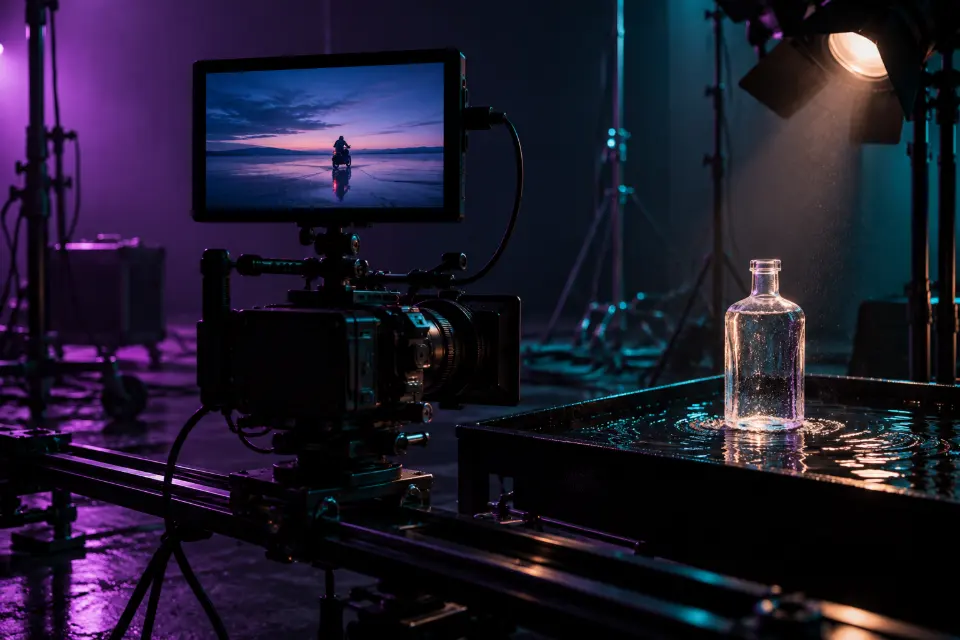
Higgsfield prompts start with a choice the prompt itself cannot make: which model to run. Higgsfield is a platform that bundles several image and video models, for example Kling, Veo and Seedance, together with camera presets, so a good prompt describes the subject, action and light in a way that suits the chosen model and leaves the camera move to the preset.
The 14 prompts below cover the clips people search for – cinematic shots, product ads, UGC-style videos, transitions and the zoom out to space – plus start frames and photo edits to feed into video. Prompts with a spoken line or sound are meant for a model that generates audio.
The short answer
Pick the model and, for video, the camera preset first, then paste the prompt and replace the words in brackets. If you use a preset, delete any camera move from the prompt, so the two do not pull in different directions.
How to prompt Higgsfield: pick the model first
Inside Higgsfield, your words go to whichever model you select, and models read prompts differently. Video models such as Veo and Kling can generate sound, so a short line of dialogue or ambience makes sense there; on a silent model the same line is ignored or confuses the result. Image models need a still description, while video models need a subject that moves.
A simple routine helps: decide whether you need a still or a clip, choose the model, then write for that model. If you plan to animate a picture, make the still first, check it and use it as the start frame. Fixing a face or a product in one image costs far less than fixing it in every video attempt.
How do Higgsfield camera presets change your prompt?
Camera presets are Higgsfield’s signature: instead of describing a move, you pick one from a list, such as a zoom, an orbit or a drone-style fly-over. With a preset active, the camera is taken care of, and your prompt should spend its words on the subject, the action, the setting and the light.
Problems start when the prompt describes a different move than the preset, for example “slow push-in” with an orbit preset selected. Leave camera words out in that case, or keep them consistent with the preset. Without a preset, describe one camera move in plain words, as the prompts below do.
A prompt structure for the Higgsfield AI video generator
Most video prompts below follow this order. Skip the parts your model or preset already handles:
- Shot: close-up, medium shot or wide shot, and the angle.
- Subject and action: who or what, and one or two movements at most.
- Setting and light: place, time of day and the main light source.
- Camera: one move, only if no preset is selected.
- Style: “handheld phone look”, “glossy commercial”, “film still”.
- Sound: a short line of dialogue or ambience, only for models that generate audio.
14 prompts to copy and adapt
Cinematic start frame on a salt flat
Cinematic film still of a lone motorcyclist in a dusty leather jacket standing beside an old motorcycle on an endless salt flat at blue hour, the last orange glow on the horizon, headlight on, a long shadow on the cracked white ground, anamorphic widescreen look, muted teal and amber grade, 21:9 formatA strong still makes a reliable start frame, because the video model only has to add motion. Animate it with the next prompt.
The rider takes off into the dusk
From the start frame: the motorcyclist swings onto the bike and rides away across the salt flat, a trail of white dust rising behind the wheels. The camera tracks alongside at ground level. Blue hour light, the headlight beam cutting through the dust, cinematic and quiet.Getting on and riding off are two actions, the most a short clip should carry. With a tracking preset selected, delete the camera sentence.
UGC-style skincare clip
Handheld selfie-style video in a bright bathroom in the morning: a woman in her late twenties holds a [product] jar up to the camera, taps the lid with one finger and smiles. Natural window light, slightly shaky phone look, no beauty filter. She says: “Okay, morning routine, step one.”The phone look and a casual line make UGC-style clips feel natural. Use them as clearly labeled ads, never as a fake customer review.
Product rising out of dark water
Slow-motion product reveal: [product] rises out of still black water, droplets running down its sides, a ring of ripples spreading outward. A single soft spotlight from above, glossy reflections, dark studio background. The camera slowly pushes in. Premium commercial look.Water adds drama to any sealed product, such as a bottle, a watch or a phone case. If the label must be exact, make the still as an edit first.
Fashion walk on a rooftop at sunset
Medium-wide shot of a model in a long oversized trench coat walking toward the camera on a city rooftop at sunset, coat and hair moving in a strong breeze, the skyline glowing orange behind. Slight slow motion, the camera slowly backs away in front of her. Warm golden backlight, fashion film look.Walking toward the camera is the cleanest fashion move for video models. With a dolly preset, remove the camera sentence.
Zoom out from a rooftop to space
Starts on a close-up of a person standing on a rooftop in [city] at dusk, looking up. The camera pulls straight up and back in one continuous move: the rooftop shrinks, the city spreads out, clouds pass below, and the shot ends on the curve of the Earth at night with city lights glowing. Realistic, smooth motion.This is the viral earth zoom out written as a prompt. If a matching preset is available, use it and keep only the first and last sentence.
Outfit change transition
Full-body shot of a young man in a gray hoodie in a bright hallway. He spins around once, and as he turns, his casual clothes change into a tailored black suit, ending in a confident pose facing the camera. Static camera, even daylight, the change happening in the middle of the spin.Hiding the change inside the spin is what makes the transition feel clean. Swap the outfits and keep the spin as the single action.
Walkthrough from the door to the living room
Smooth gimbal shot entering through the front door of a bright modern apartment and gliding forward into an open living room with large windows, light oak floors and a linen sofa, afternoon sun streaming in, curtains moving slightly. Steady, slow forward movement at eye height, realistic interior video.For a real listing, animate photos of the actual property only, and keep rooms, sizes and views as they are; invented features mislead buyers.
Frozen moment around a dancer
A dancer in a flowing white dress frozen in mid-leap above a wet street at night, water droplets hanging in the air around her. The camera circles slowly around her while everything stays frozen in time. Streetlights reflecting in the puddles, cinematic contrast.A frozen subject with a moving camera is the classic bullet time effect. Keep the moment simple: one pose, with droplets or dust in the air.
Small business clip with a spoken line
Medium close-up of a friendly baker in a flour-dusted apron behind the counter of her small bakery, warm morning light from the window, shelves of bread behind her. She smiles at the camera and says: “[one short sentence about your shop].” Static camera, the soft hum of an oven in the background.Spoken lines need a model with sound, such as Veo or Kling. Keep the sentence short so the lip movements stay in sync.
Product on mossy rock as an ad start frame
Keep my product exactly as in the photo, including the label, shape and colors. Place it on a mossy rock in a misty pine forest at dawn, soft light rays through the trees, small water droplets on the moss, the product sharp and the forest softly blurred, cinematic color grade, 9:16 format.Making the start frame as an edit keeps the product exact. Then animate it with a slow push-in or an orbit preset.
Lookbook photo with colored gel light
Keep my face, hairstyle, body shape and outfit exactly the same. Place me in a dark photo studio lit with two colored gel lights, magenta from the left and cyan from the right, glossy reflections on the floor, a confident standing pose, sharp focus, fashion lookbook style, 4:5 format.Colored light changes the mood without touching the outfit, which is what a lookbook needs. Use the result as a start frame for a slow turn.
Turn a selfie into a film still
Keep my face, expression and hairstyle exactly the same. Relight the photo like a scene from a thriller: hard amber light from a desk lamp on one side of my face, cool blue shadow on the other, a dark office in the background, light haze in the air, subtle film grain, 21:9 widescreen crop.Two contrasting light colors are the quickest route to a cinematic look. Swap the setting but keep the two-color lighting.
Character reference for a series
Full-body character reference of an original adventurer: a woman in her thirties with short copper hair, an olive field jacket, a rust-colored scarf and worn hiking boots, standing straight and facing the camera, arms relaxed, plain light gray background, even studio light, realistic photo, 3:4 formatA clean reference on a plain background is what you reuse across shots to keep a character consistent. Change the details, keep the neutral pose.
Higgsfield UGC and ad prompts: keep them honest
AI ads can look like real customer videos, which is exactly why they need care. Label AI-generated ads where the platform or local law asks for it, never present an AI person as a real customer or write lines that sound like a testimonial, and make sure the product in the clip matches the product people receive.
Do not animate photos of real people without their consent, and keep real brands, logos and famous faces out of your prompts. Most ad platforms have their own rules on synthetic media, so check them before a campaign goes live.
Fixes for Higgsfield AI video prompts that go wrong
Change one thing per attempt, so you know which fix worked.
- Motion fights the preset: remove every camera word from the prompt.
- Faces or products morph: make a cleaner start frame and cut the action down to one movement.
- The clip is too busy: describe one subject and leave the background calm.
- Dialogue is out of sync: shorten the line to one sentence and use a model with sound.
- Unwanted things keep appearing: add a short “Avoid:” sentence, or use a negative field if the model has one.
Is there a Higgsfield prompt generator?
Prompt Studio can act as one. Pick Higgsfield and the prompt is written to follow the model you choose inside the platform; switch to Kling, Veo or Seedance directly and the wording adapts, with a sound line only where the model generates audio. The prompts here are a starting point – the details of your product, your city or your character are what make a clip worth posting. Save the versions that work, since a good prompt is easy to reuse for the next product.
Prompt checklist by shot type
| Shot | Camera preset or move | The prompt describes |
|---|---|---|
| Product reveal | Slow push-in or orbit | Surface, light, droplets or dust, the product kept exact |
| UGC-style clip | None, handheld look | Person, place, one gesture, a short spoken line |
| Fashion walk | Dolly back or tracking | Outfit, wind, light behind the model |
| Zoom out | Pull up and back | The close-up start and the end point in space |
| Transition | Static camera | The action that hides the change, both outfits |
Questions and answers
What is Higgsfield?
Higgsfield is a platform that bundles several image and video models, such as Kling, Veo and Seedance, and adds camera presets. You write one prompt and choose the model and the camera move that carry it out.
Which model should I pick in Higgsfield?
Choose by job: a model with sound, such as Veo or Kling, for dialogue and ambience, and an image model for start frames and edits. For everything else, run a short test in two video models and keep the better clip. The model list changes, so check the app.
Do I need camera words if I use a Higgsfield preset?
No. The preset handles the camera, so describe the subject, action and light instead. Camera words that contradict the preset are a common reason for strange motion.
Can Higgsfield AI videos have sound?
That depends on the model you pick. Veo and Kling can generate sound with the video, so a short spoken line or ambience works there. On silent models, leave sound out and add music when you edit.
Does Higgsfield support negative prompts?
It depends on the model. Some offer a separate field for things to avoid; where there is none, add a short sentence at the end of the prompt, such as “Avoid: text, watermark, extra people”.
Are AI UGC videos allowed in ads?
Usually yes, if they follow the ad platform’s rules: label them where required, do not imply a real customer experience and show the product accurately. Rules differ by platform and country, so check before you publish.