Seedance prompts work best when you write them like a short shot list: label each shot, give it one clear action and say how the camera moves. ByteDance announced Seedance 2.5 in summer 2026 with shots of up to 30 seconds and many reference inputs, and it rolled out in the Jimeng and Doubao apps and through partner platforms. The prompts below use plain sentences rather than version-specific settings, so they suit Seedance 2.0 and 2.5 alike.
You get multi-shot scenes, reference prompts, product clips, action and animation, each with a note on why it works and what to swap. The prompts leave sound out; add music or a voice-over afterwards if you need it.
The short answer
Open Seedance in Jimeng, Doubao or a platform such as Higgsfield, add your reference images if the prompt mentions them, paste the prompt and replace the words in brackets. Keep the shot labels and set the length shown.
Seedance prompt guide: how to build one shot
Seedance follows plain English and does best with one subject, one action and one camera move per shot. Physical verbs (“vaults over a low wall”, “turns the box toward the lens”) give it something to animate; mood words alone do not. Name the speed of the camera as well, because “slow push-in” and “fast push-in” are different shots.
Build each shot in this order:
- Framing: wide, medium, close-up, overhead.
- Subject, with one or two details that must stay the same.
- The action, as it happens from start to end.
- Camera movement and its speed.
- Light, color and style, written once at the end.
How do I write a multi-shot Seedance prompt?
Label the shots in order (“Shot 1:”, “Shot 2:”) and keep each one to a sentence or two. Repeat the key description of your character, such as “woman in a gray hoodie”, in every shot or close with “same woman and clothes in every shot”, otherwise the person may change between cuts. Two or three shots fit well in 10 to 15 seconds; more than that and each shot gets too short to read.
Put the shared style (light, color, film look) at the end of the prompt so it applies to all shots instead of only the last one.
Seedance prompts with reference images
Seedance 2.5 takes many reference inputs, which is how you keep a face, a product or a location the same across clips. Give each image a role by number (“image 1 for the man’s face and clothing, image 2 for the location”) and then describe only what happens. Do not describe the face again in words, since a mismatch between text and picture can pull the result away from your reference. Clean references with plain backgrounds work better than busy holiday snapshots.
14 prompts to copy and adapt
Three-shot dawn run on a bridge
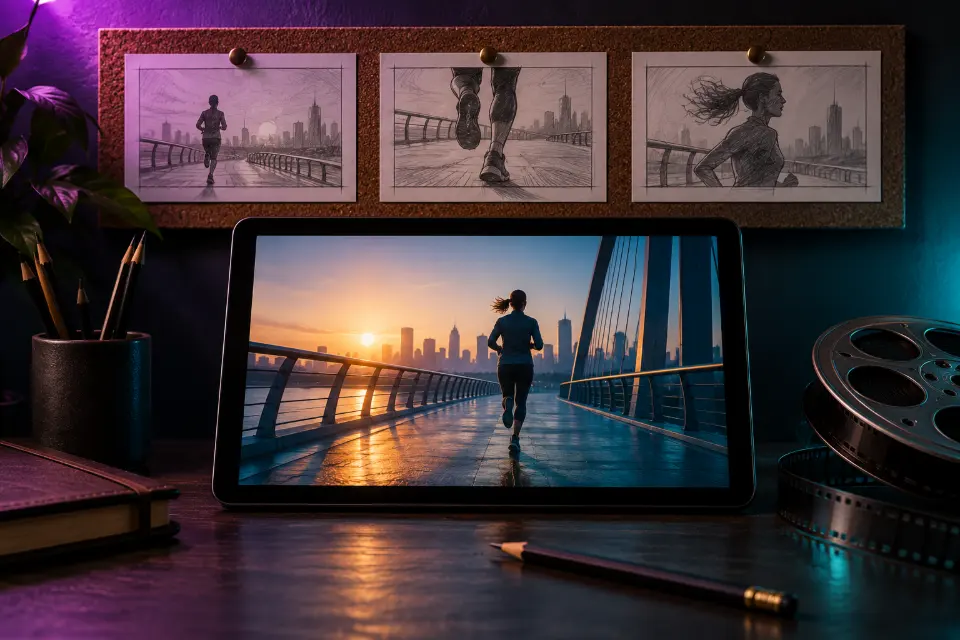
Shot 1: wide shot of a woman in a gray hoodie jogging across an empty bridge at dawn, city skyline behind her. Shot 2: close-up of her running shoes hitting the wet pavement. Shot 3: medium shot from the front as she slows down, breathing hard, and smiles at the rising sun. Same woman and clothes in every shot, cool blue light turning warm, realistic sports film look.Wide, close, medium is a classic order that always reads clearly. Swap the bridge for a beach path or a park loop.
Baking together, in two shots
Shot 1: close-up of a father’s hands sprinkling flour over dough on a wooden counter, soft morning light. Shot 2: medium shot as his young daughter presses a heart shape into the dough and laughs. Same kitchen and the same warm light in both shots, gentle handheld camera, home video feel.The close-up of hands sets the scene before any face appears, which makes the cut feel natural. Good for a family video intro.
Sneaker drop with chalk dust
Use image 1 as the sneaker reference and keep its shape, colors and details exactly. The sneaker drops onto a concrete floor in slow motion and kicks up a small cloud of chalk dust, then the camera circles once around it at ground level. Dark studio, one hard spotlight from above, dust glowing in the beam, premium sports ad look.The dust gives the light something to catch, which reads as premium. Change the dust to water splashes for a summer version.
Night train scene from two references
Use image 1 for the man’s face and clothing and image 2 for the location. He sits by the window of an old night train, reading a paperback while lights from passing towns sweep across his face. Slow push-in from the aisle, warm cabin lamp inside, cool blue night outside, 35mm film grain.Passing lights add movement without asking the actor to do much, so the face stays close to your reference.
Free runner vaulting at sunset
Tracking shot of a free runner in a red jacket sprinting across flat rooftops at sunset and vaulting over a low wall with one hand. The camera follows from the side at the same speed, then slows as he lands and rolls. Golden backlight, long shadows, realistic action film look, believable weight and physics.Action holds together when the camera matches the runner’s speed. Ask for believable weight, or landings can look floaty.
Thirty-second walk through a flower market
One continuous shot with no cuts. The camera follows a woman with a straw basket through a morning flower market, staying just behind her shoulder as she passes buckets of tulips, stops to smell a bunch of peonies and pays the vendor with a nod. Soft overcast light, pastel colors, people moving naturally in the background.A follow shot gives a long clip a natural path to travel. Keep the stops to two; more turns the walk into a jumble.
Anime bus stop in the rain
Anime-style scene in two shots. Shot 1: a young man with headphones waits at a rainy bus stop at night, neon colors reflecting in the puddles. Shot 2: close-up as a stray cat jumps onto the bench beside him and he tilts his umbrella to cover it. Clean line art, soft cel shading, blue and pink palette.A small kind gesture works well in two shots: setup, then payoff. Change the cat to a dog or a lost bird.
Clay snail delivering a letter
Stop-motion clay animation: a small snail wearing a knitted hat carries a tiny letter across a garden table, passing a teacup and a pair of reading glasses. Slightly jerky stop-motion timing, visible fingerprints in the clay, soft daylight, shallow depth of field.Asking for jerky timing and fingerprints is what sells the handmade look. Kids love giving the snail a different job.
FPV drone through a red canyon
FPV drone shot racing low through a red rock canyon, banking left and right between the walls, then climbing over the rim to reveal a wide desert at sunrise. Fast fluid motion, wide lens, slight motion blur, warm light, realistic.FPV means fast, tilting flight close to surfaces, unlike a calm drone shot. The climb at the end gives the clip a finish.
Overhead unboxing for a shop page
Overhead shot of a light wooden desk: two hands open a matte box and lift out [product name], turning it slowly toward the camera. Soft daylight from a window, neutral tones, clean minimal styling. The product’s shape and colors match the reference image exactly.Hands give scale and make the clip feel like a real first look. Add your product photo as a reference so nothing is invented.
What’s in my gym bag
Vertical handheld phone video of a man at a gym locker showing what is in his bag: he pulls out a water bottle and a towel, then holds [product name] up to the lens with a grin. Fluorescent locker room light, casual creator style, slight camera shake.The everyday items before the product make it feel like a real habit. Label it as AI if you use it in an ad.
Dance battle in a parking garage
Wide shot of two dancers facing each other in a parking garage at night, taking turns: the first does a fast footwork combo, the second answers with a slow, controlled freeze. The camera circles them slowly at hip height. Colored work lights, concrete pillars, music video look.Taking turns keeps it to one action at a time. Add your track in the edit and cut to the beat.
City intersection time-lapse
Time-lapse from a fixed rooftop camera: a city intersection goes from late afternoon to night, traffic turning into streaks of light, office windows switching on one by one, clouds racing overhead. Locked-off camera, smooth exposure change, realistic.Saying “locked-off camera” stops Seedance from adding a drift. Replace the city with a harbor or a mountain valley.
Cozy rainy window loop
Looping shot: rain runs down a window beside a desk with a steaming mug and an open sketchbook, a cat sleeping on the windowsill, its side slowly rising and falling. The camera does not move, the last frame matches the first, soft lamp light, cozy lo-fi mood.Small repeating motions such as rain, steam and breathing loop well. Use it as a background for a study or music stream.
Why do Seedance 2.5 prompts go wrong?
Usually because the prompt asks for more than the clip can hold. Try these fixes one at a time:
- A shot is missing: label it clearly and cut the number of shots to two.
- The character changes between shots: repeat the same description or use a reference image.
- The camera drifts: name one move, or write “locked-off camera”.
- Motion looks floaty: add “believable weight and physics” and slow the action down.
- The style only applies to the end: move the style sentence after the last shot.
Seedance or Kling for your next clip?
Both are announced for shots of up to 30 seconds and both take several reference images, so many prompts here run in either. Kling 4.0 also generates sound and has a separate negative prompt box, which helps when you want dialogue or ambience in the same pass. Seedance suits labeled multi-shot prompts and clips you plan to score yourself. The honest answer is to run the same prompt in both and keep the better take; in Prompt Studio you switch the model and the wording follows.
Which Seedance prompt fits your project?
| Your project | Start with | Length |
|---|---|---|
| A short story with cuts | Three-shot dawn run on a bridge | 10–15 seconds |
| A clip for your shop page | Overhead unboxing for a shop page | 8 seconds |
| The same actor in several clips | Night train scene from two references | 10 seconds |
| A background for a stream | Cozy rainy window loop | 6 seconds |
| A travel reel in one take | Thirty-second walk through a flower market | 30 seconds |
Questions and answers
Do Seedance 2.0 prompts work in Seedance 2.5?
The ones on this page do, because they use plain sentences, shot labels and reference numbers rather than version-specific settings. A newer version handles longer shots and more references, so you can extend a 2.0 prompt instead of rewriting it.
How long can a Seedance 2.5 shot be?
ByteDance announced Seedance 2.5 with shots of up to 30 seconds. The lengths you can pick depend on the app or platform and your plan, so check the length setting before you generate.
Is there a free Seedance prompt generator?
Prompt Studio on LoschaZ is free and formats each prompt for Seedance or another model. It only writes the text; the video is generated in Jimeng, Doubao or a partner platform under their own plans.
Does Seedance have a negative prompt?
Prompt Studio treats Seedance as a model without a separate negative box and turns your list into a short “Avoid:” sentence at the end. Positive wording often works better anyway: write “empty street” rather than “no people”.
Where can I use Seedance?
Seedance 2.5 rolled out in ByteDance’s Jimeng and Doubao apps and through partner platforms; Higgsfield is one platform that bundles Seedance with other video models. Which of them you can use depends on where you live.
Are there Seedance prompt examples for product videos?
Yes: the sneaker drop, the overhead unboxing and the gym bag clip above are written for shops and ads. Add a product photo as a reference so the shape and label are copied rather than invented, and keep the camera slow.