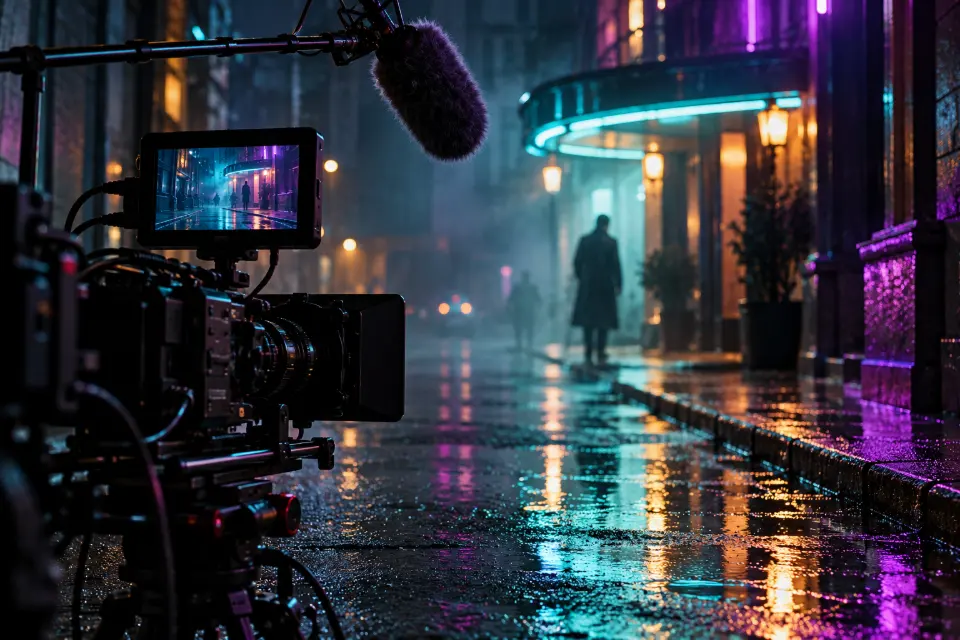
A Veo 3 prompt should describe the sound as carefully as the picture, because Veo makes both at once. Veo 3.1 is the current version of Google’s video model, available in the Gemini app and Google Flow, and it can generate dialogue, sound effects and background ambience along with the clip.
The 13 prompts below follow one order: shot, subject, action, camera and light, then a separate line for what you hear. Each note says why it works and what to swap.
The short answer
Open Veo in the Gemini app or in Google Flow, paste a prompt and replace the words in brackets. Keep dialogue short enough to say in a few seconds, and if the first result is close, change one detail and generate again.
Where can you use these Google Veo 3 prompts?
Google’s current model is Veo 3.1, and prompts written for Veo 3 carry over without changes. You can use it in the Gemini app, where you pick the video option and describe the clip, and in Google Flow, Google’s AI filmmaking tool. What you can generate, and how much, depends on your Google plan.
Each clip is short, so think in single shots. A scene with a beginning, middle and end is three prompts, not one, and each shot gets the model’s full attention.
Veo 3 prompt structure: picture first, then sound
Write the picture as one paragraph and the audio as a line of its own. Veo then knows which words describe what to show and which describe what to play.
- Shot and camera: “medium close-up, slow push-in” or “wide drone shot”.
- Subject and action: who is there and the one thing that happens.
- Light and style: “late afternoon sun, warm film look” or “clean studio light”.
- Dialogue: who speaks, then the words in quotation marks.
- Sound effects: the noises the action makes, such as footsteps on gravel.
- Ambience: the background, such as a busy café, wind or distant traffic.
How to write a Veo 3 dialogue prompt
Name the speaker before every line, describe them so Veo can tell people apart, and put the exact words in quotation marks, for example: The woman in the yellow raincoat says, “We’re almost there.” Keep each line to one short sentence. Long speeches get rushed or cut off at the end of the clip.
You can also set the voice: “in a calm, low voice”, “whispering” or “with a slight laugh”. For a narrator instead of someone on screen, write “voice-over” before the words. If captions you did not want appear on the video, add “no subtitles” at the end of the prompt.
13 prompts to copy and adapt
Street interview in the snow
Handheld medium shot on a snowy city street at dusk. A reporter in a red wool coat holds a microphone toward a cheerful man with a gray beard and asks: “Did you ever build a snowman this big?” He grins and points behind him: “Twice. My knees remember both.” Shop windows glowing, snow falling, natural colors. Sound: both voices clear, muffled traffic and crunching footsteps.Made-up street interviews combine dialogue and ambience in one clip. Keep each line short and change the topic to your own.
ASMR: slicing a glass kiwi
Extreme close-up on a dark wooden board: a sharp knife slowly slices through a kiwi made of translucent green glass, revealing glittering seeds inside, thin slices falling over one by one. Soft top light, black background, crisp reflections, static camera. Sound: a crisp glassy crunch with each cut and a soft clink as slices fall, with no music and no voices.ASMR clips live on the sound, so describe each noise and rule out music and voices. Swap the kiwi for any fruit or a bar of soap.
Product ad with a voice-over
Product ad: a cold brew coffee can with a plain [color] label sits on a wet rock in a mountain stream, water rushing around it. Slow push-in from wide to close-up, morning sun glinting on the droplets, crisp commercial look. A hand reaches in and lifts the can out. Sound: rushing water, the hiss of the can opening and a friendly voice-over saying “Brewed slow, served cold”.One short voice-over line and one clear product moment are enough for a short ad. Put in your own product and label; leave other brands’ logos out.
Selfie vlog on a windy ridge
Vertical selfie-style vlog shot, handheld at arm’s length on a windy mountain ridge. A young woman with a backpack and windswept hair smiles into the camera and says: “Okay, I made it, and the view is ridiculous.” She turns the camera to show a valley full of clouds below. Sound: strong wind gusts on the mic and her slightly breathless voice. 9:16.Vlogs feel real when the sound is a little imperfect, so the wind on the mic is deliberate. Choose a vertical format in the app if it offers one.
Garlic hitting hot oil
Close-up from a low side angle of sliced garlic dropping into a pan of shimmering olive oil, the slices bubbling and turning golden, a wooden spoon stirring once. Warm light from a window behind the stove, steam catching the light, shallow depth of field. Sound: a sharp sizzle as the garlic hits the oil, gentle bubbling and a quiet kitchen.Food clips sell the sound as much as the look. Swap in onions, butter or an egg cracking into the pan.
Two voices in a repair workshop
Medium two-shot in a cluttered radio repair workshop. An older woman with reading glasses hands a small screwdriver to her teenage grandson and says: “Gently, it’s older than your dad.” He turns a knob and the radio crackles to life, and he says: “It works.” Warm lamp light, dusty shelves, soft film grain. Sound: both voices, then radio static turning into faint music.Describing each speaker by look and age helps Veo give the right line to the right person. Two lines per clip is plenty.
Nature shot with a narrator
Slow-motion close-up of a hummingbird hovering at a red trumpet flower, wings a soft blur, iridescent green feathers catching the morning sun, dew on the petals. Static camera, very shallow depth of field, nature documentary look. Sound: the low hum of wings, distant birdsong and a calm voice-over saying “Every morning starts with the same small errand”.“Voice-over” keeps the words off-screen, so nobody has to speak on camera. Replace the line with your own narration.
Bring a picnic photo to life
Start from my uploaded photo and keep the people, their faces, clothes and the setting exactly as they are. Bring it to life: a light breeze moves the grass and the edge of the picnic blanket, the two people turn to each other and laugh, and the camera slowly pushes in. Keep the light unchanged. Sound: wind in the grass, distant birds and soft laughter.With a start image, spend the words on motion and sound rather than on what the photo already shows. Use it wherever your Veo app lets you add a starting image.
Film noir alley in the rain
Wide shot of a narrow alley at night in heavy rain. A man in a long coat and hat walks toward the camera under a flickering neon sign, his reflection stretching across the wet cobblestones. Slow dolly back as he approaches, black and white film noir look with deep shadows. Sound: rain hammering on metal, his splashing footsteps and a distant siren.Black and white with hard shadows is an easy style to read, and the sound carries half the mood. For color, write “teal and red neon” instead.
Apartment walkthrough for a mood board
Smooth gimbal walkthrough entering a bright, empty apartment through the front door, moving slowly past a white kitchen with oak counters into a living room with tall windows and afternoon sun on the wooden floor. Eye-level camera, steady forward movement, wide lens, realistic interior video look. Sound: quiet room tone, birds outside and footsteps on wood.Generated walkthroughs suit mood boards and concept videos, never a real listing. For an actual property, film the actual rooms.
Cat pushes a mug off the counter
Medium close-up of a fluffy orange cat on a kitchen counter, slowly pushing a ceramic mug toward the edge with one paw while staring at the camera. The mug tips over the edge just out of frame. Bright morning light, everyday phone video look. Sound: the mug scraping on the counter, a crash off screen and a person groaning “Not again”.Comedy works when the punchline happens off screen, so nothing has to shatter on camera. Use your own pet’s colors.
Unboxing close-up
Top-down close-up on a light wooden desk: two hands lift the lid off a matte black box and pull out a pair of over-ear headphones wrapped in tissue paper, then turn them toward the camera. Soft daylight from the side, clean minimal setup, steady camera. Sound: tissue paper rustling, the lid sliding off with a soft whoosh and a quiet room.Unboxing clips depend on the sounds of paper and packaging. Put your own product in the box and keep the hands moving slowly.
Whispered story at a campfire
Close-up of three friends around a campfire at night, faces lit orange by the flames, sparks drifting upward. One of them leans in and whispers: “And then the lights in the cabin went out.” The others lean back, half laughing. Slow push-in on the speaker, dark forest behind. Sound: crackling fire, crickets, the whisper and nervous laughter.Firelight from below and one whispered line build mood in a few seconds. Swap the line for an inside joke from your own group.
Veo 3 prompts for ads and product videos
Give the product one clear moment: a hand lifting it, a can opening, a lid coming off. Describe its shape and color, because Veo cannot know your packaging, and keep any text on it to a word or two. Long labels come out garbled.
A short voice-over works like a slogan, and real sounds such as a cap twisting or a box sliding open make the product feel physical. Use your own product only: ads that copy another brand’s logo or imply endorsements by real people break platform rules. Check the clip frame by frame before it runs.
Veo 3 negative prompts and other fixes
If your app has no separate field for things to avoid, put them in one short sentence at the end, such as “Avoid: subtitles, text on screen, extra people.” Prompt Studio writes that sentence for you when you pick Veo.
- The wrong person says a line: describe each speaker by clothing or age right before their words.
- The line is cut off: shorten it, or remove the second line.
- Motion looks rubbery: ask for one action and add a speed, such as slowly.
- The sound doesn’t fit: name the space, such as a small tiled bathroom, an empty gym or an open field.
Is Veo 3.1 or Gemini Omni right for your clip?
Both come from Google, and both can make sound. Veo 3.1 suits a fully planned shot that you write in one prompt and generate. Gemini Omni, launched in May 2026, is built around editing: each new instruction changes the clip you just made instead of starting over. If you know exactly what the shot should be, start with Veo; if you want to find it step by step, Omni fits better. In Prompt Studio you can switch between them and the wording adapts.
How to write each kind of sound for Veo
| Sound | How to write it | Example |
|---|---|---|
| Dialogue | Speaker, then the words in quotation marks | The chef says: “Taste this.” |
| Voice-over | The word voice-over, then the line | A calm voice-over saying “Every morning starts here” |
| Sound effects | The noise the action makes | Ice cracking, a door creaking |
| Ambience | The background of the place | A busy café, wind in pines |
| Silence | Say what to leave out | No music, no voices |
Questions and answers
Are Veo 3 and Veo 3.1 prompts the same?
Yes. Veo 3.1 is the current version, and prompts written for Veo 3 work in it. The structure on this page, picture first and sound on its own line, suits both.
Can I use Veo 3 prompts in Google Flow?
Yes. Paste them into Flow the same way as into the Gemini app. Flow is handy when one video needs several shots.
How do I get Veo 3 to say exact words?
Put the words in quotation marks right after the speaker’s description and keep them to one short sentence. If a word slips, generate again; short lines come out right more often.
Is there a Veo 3 prompt generator?
Prompt Studio on this site builds Veo prompts in the order shown here and keeps the sound line for you. You still decide the subject and the action; the tool handles the structure.
Is there a Veo 3 prompt template I can fill in?
Try this: “[Shot and camera]: [subject] [one action]. [Light and style]. Sound: [dialogue, effects, ambience].” Keep the sound line last and in one sentence.
Why does my Veo video have captions in it?
Veo sometimes adds captions or signs with garbled text. Add “no subtitles, no text on screen” at the end of the prompt and keep written words out of the scene.