Sora prompts still work, just not in Sora: OpenAI announced the shutdown on 24 March 2026, the Sora app closed on 26 April 2026 and the Sora API followed on 24 September 2026. The ideas people wrote for Sora 2, from phone-style vlogs to anime openings and fake retro ads, carry over well to Veo 3.1, Kling 4.0, Seedance 2.5 and Gemini Omni once you adjust a few habits.
The 14 prompts below are written in that Sora style and tuned for the models that are available now. Each note says what changed and what to swap. Words in square brackets are placeholders.
The short answer
Pick a prompt, open one of the models listed under it, paste it and replace the bracketed words. Prompts with a “Sound:” line need a model that makes audio, such as Veo 3.1, Kling 4.0 or Gemini Omni; for Seedance, delete that line.
What happened to Sora 2?
OpenAI stopped offering Sora in two steps. After announcing the shutdown on 24 March 2026, it closed the Sora app, including the feed and the cameo feature, on 26 April 2026. Developers kept API access until 24 September 2026, when that closed too.
What survives is the prompt craft. Sora 2 made short, phone-like clips with dialogue and sound popular, and that style is now standard in other video models. Your saved prompts are plain text, so nothing stops you from reusing them.
Which Sora alternative should you use?
No single model replaces every Sora habit, so match the model to the clip:
- Veo 3.1 (Google): realistic short clips with dialogue, effects and ambience, in the Gemini app and Google Flow.
- Kling 4.0 (Kuaishou): up to 30 seconds in one pass according to its launch announcement, several reference images, stereo sound with lip sync.
- Seedance 2.5 (ByteDance): shots of up to 30 seconds and many reference inputs, good for labeled multi-shot scenes; add sound afterwards.
- Gemini Omni 1.1 Flash (Google): each new instruction edits the previous clip, which suits building a scene step by step.
How to write Sora prompts for other models
Many Sora 2 prompts packed several shots, a joke and a line of dialogue into one paragraph. Other models follow better when you split that up: one shot per prompt, one or two actions, the camera move named once and sound in its own closing sentence. Keep spoken lines short and say who speaks. For Gemini Omni, generate the first shot and then send the changes one at a time instead of rewriting everything.
14 prompts to copy and adapt
Street interview with a strange answer
Handheld street interview on an overcast afternoon: a reporter with a fuzzy microphone asks a man at a bus stop, “What’s the strangest thing in your bag?” He calmly pulls out a small garden gnome and says, “For emergencies.” Phone-camera look, slight shake, natural colors. Sound: traffic, wind on the microphone, both voices clear.This is the Sora vlog style: a casual frame, one question, one payoff. Swap the gnome for any object that makes you laugh.
Marble run with real physics
Macro shot of a wooden marble run on a kitchen table: a blue glass marble rolls down a spiral track, drops through a funnel and knocks over a row of dominoes. The camera follows the marble at table height. Daylight from a window, realistic physics and reflections in the glass. Sound: marble clicking on wood, dominoes clattering.Physics clips were a Sora favorite. A clear chain of cause and effect gives the model an easy path to follow.
Nature documentary with narration
Nature documentary shot: two sea otters float on their backs in a kelp bed at golden hour, holding paws as gentle waves lift them. Slow telephoto pan, soft sea haze. Sound: lapping water, distant gulls and a calm narrator saying, “They hold on so the current won’t pull them apart.”A narrator line turns a pretty shot into a scene. Keep it to one sentence so the voice fits the clip length.
Anime opening with a sky courier
Anime-style shot: a courier on a scooter races through a floating city in the sky at sunrise, her scarf streaming behind her, then jumps the scooter across a gap between two islands. Low dynamic camera following her, bright saturated colors, sharp line art, painted clouds.Anime openings were a big Sora trend. One jump is enough action; save the landing for a second clip.
1980s TV commercial parody
1980s television commercial look: a smiling family at a bright kitchen table pours bowls of [product name] cereal while a golden retriever watches hopefully. VHS grain, oversaturated colors, soft glow on the highlights. Sound: a cheerful announcer saying, “It’s crunchy. It’s new. It’s breakfast,” and a short synth jingle.VHS grain and an announcer voice do most of the retro work. Use your own product name, never a real brand you do not own.
Lone rider in the dunes
Wide cinematic shot: a lone rider on a black horse crosses rippling sand dunes at sunset, dust trailing behind. Slow drone pull-back that reveals the endless dunes around them. Anamorphic lens look, warm orange sand against a deep blue sky. Sound: wind, hoofbeats on sand, one low cello note.The pull-back makes the rider small, which is where the drama comes from. A single music note adds mood without a full score.
Collar camera on a beach run
First-person view from a small camera on a golden retriever’s collar as it sprints across a beach toward the waves, its ears flapping into the frame, then splashes through the shallows. Wide fisheye lens, bright midday sun, water drops on the lens. Sound: panting, crashing waves, a distant voice calling, “Max, come back.”Point-of-view clips feel real because the camera moves with the body. Put your own dog’s name in the last line.
Clay weather report
Stop-motion clay animation: a round clay cloud presenter stands in front of a hand-painted map of a made-up island and says, “Light drizzle in the north, sunshine by lunch.” A tiny clay sun bobs into the frame and waves. Static camera, warm studio lights, visible fingerprints in the clay. Sound: the presenter’s voice, soft studio hum.Talking clay characters were a Sora hit, and Veo and Kling handle them well. Change the forecast line to a family joke.
Selfie vlog from your own photo
Use my uploaded photo as the starting frame and keep my face, hair and clothes. I hold the phone at arm’s length at a busy medieval fair, jugglers and market stalls behind me, and say with a tired grin, “Day three. Still no Wi-Fi.” Handheld selfie framing, afternoon sun. Sound: my voice, crowd noise, a lute playing nearby.This replaces the old cameo idea: you start from your own photo instead. Only use photos of other people with their permission.
Floating product above still water
Clean studio ad: [product name] floats and turns slowly above a pool of perfectly still water. A single drop falls from its base and sends rings across the surface. Soft top light, black background, mirror-like reflections, premium commercial look, the product stays sharp.One drop is a small event that the eye follows. No sound line, so it runs in Seedance and Runway too.
Realistic rainy tram ride
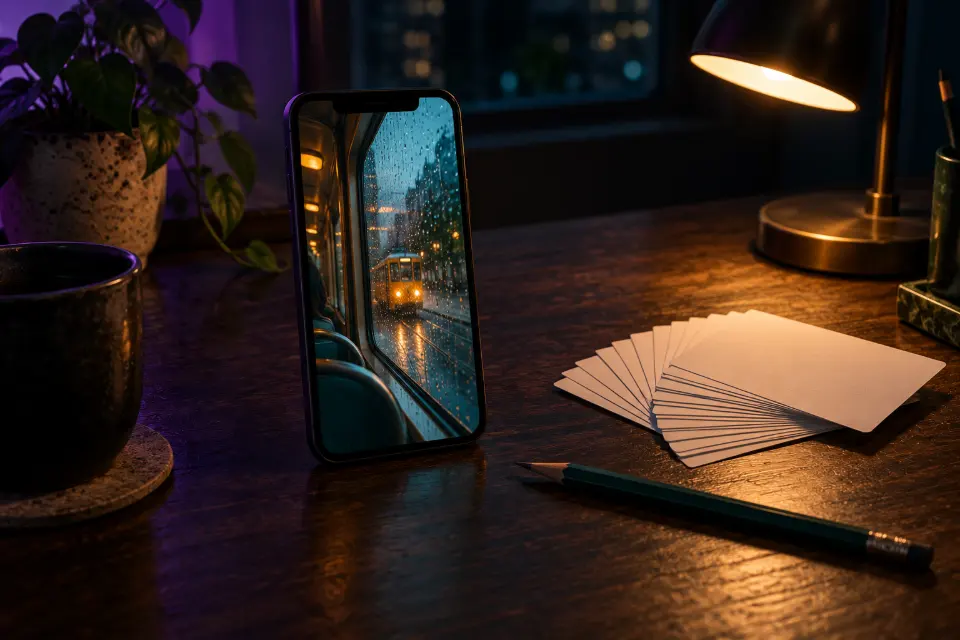
Realistic phone footage from a tram window on a rainy evening in [city]: neon reflections streak across the wet street as the tram moves, and a passenger’s hand wipes fog off the glass. Slightly soft focus, warm interior light against cool blue outside. Sound: rain on glass, a tram bell, quiet chatter.Imperfect focus and a hand in the frame make it look filmed, not rendered. Name a real city for familiar street details.
Mini documentary with an old baker
Documentary interview: an elderly baker in a flour-dusted apron sits in his empty bakery before dawn and says, “Forty years, and I still taste every loaf.” Static medium shot, soft orange light from the ovens behind him. Sound: oven fan hum, his voice, a clock ticking.A static frame and one honest line feel like real documentary. Swap the baker for a tailor, a fisher or a florist.
Slow-motion skate ollie
Low-angle slow-motion shot of a skateboarder clearing a fire hydrant with a high ollie at sunset, the board lifting under her feet, golden light flaring into the lens. The camera sits still on the ground. Warm film colors, realistic motion.A camera on the ground makes any jump look bigger. Without a sound line it suits Seedance and Hailuo as well.
Three-shot story, Seedance style
Shot 1: wide shot of a lighthouse keeper climbing a spiral staircase with a lantern. Shot 2: close-up of his hand lighting the great lamp. Shot 3: exterior wide shot as the beam sweeps across a stormy sea. Same man and coat in every shot, moody blue light with warm lamp glow, film grain.This is how a long Sora story paragraph looks once it is split into labeled shots. It also works in Kling.
Why are my old Sora 2 prompts not working?
They usually do work, but they lean on things only Sora did. Fix them like this:
- A whole story in one paragraph: split it into shots, or label them for Seedance.
- Mentions of cameos or @usernames: replace them with a reference photo of someone who agreed.
- No sound in Seedance: delete the sound line and add audio in your editor.
- Long speeches: cut each line to a short sentence and give it one speaker.
- A result that looks different: models have their own default look, so name the light, lens feel and color you want.
What replaced Sora 2 cameo prompts?
Sora’s cameos let people insert themselves or friends who had opted in. The closest thing now is a reference photo: Kling 4.0 and Seedance 2.5 take several references, and Veo can start from a photo as the first frame. The consent rule is the same as before. Use your own face or the face of someone who said yes, never public figures, and label clips as AI when you post them. In Prompt Studio you can switch any prompt here between these models and the wording adapts.
How to translate a Sora 2 prompt
| In your Sora prompt | Veo 3.1 and Gemini Omni | Kling 4.0 | Seedance 2.5 |
|---|---|---|---|
| Dialogue and sound | Keep a “Sound:” line, quote short lines | Keep it; short lines sync best | Delete the sound line |
| Several shots in one prompt | Veo: one shot per clip; Omni: add each shot as a follow-up | Split into clips or label shots | Label Shot 1, Shot 2 |
| A cameo of yourself | Start from your photo | Numbered reference images | Numbered reference images |
| A long single take | Short clips joined in an editor | Up to 30 seconds, per the launch | Up to 30 seconds per shot, as announced |
Questions and answers
Is Sora shut down?
Yes. OpenAI announced the shutdown on 24 March 2026, the Sora app closed on 26 April 2026 and the API on 24 September 2026. Prompts you saved are still useful as text you can reuse in other video models.
Is there a free Sora alternative?
Free access changes often. Several video apps offer limited free use or trial credits, while longer or higher-quality clips usually need a paid plan. Check each app’s current plan page before you count on it.
Does a Sora prompts generator still work?
A prompt generator only writes text, so it does not need Sora. Prompt Studio on LoschaZ is free and formats each prompt for Veo, Kling, Seedance, Gemini Omni and other models, with a sound line where the model supports audio.
Can I reuse the best Sora 2 prompts I saved?
Yes, as a starting point. Split them into single shots, keep dialogue short, move sound into its own sentence and remove anything that relied on cameos. Then try one prompt in two models and keep the better clip.
Where can I find funny Sora 2 prompts now?
The humor carries over to other models. The funny AI video collection has harmless sketch ideas written for Veo, Kling and Grok Imagine, in the short vertical format that Sora made popular.
Which model is closest to Sora for realistic video?
For realistic clips with dialogue and ambience, try Veo 3.1 or Kling 4.0 first; for longer multi-shot scenes without sound, Seedance 2.5. Results change with updates, so compare the same prompt in two of them.