Car & driving · Free
Amber engine light: what should you do?
An amber engine light tells you that the car has detected a fault; it does not identify the failed part. Start with the warning and the way the car is behaving. Once safely parked, OBD Studio can read supported engine codes through a compatible adapter.
- No account
- Runs on your device
- Phone & desktop
Check engine light: read the codes
Runs on your device
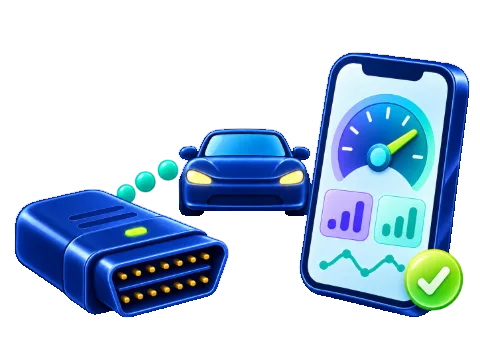
Connect your OBD2 adapter
- Plug the adapter into the OBD2 port – usually under the steering wheel, near the pedals.
- Switch the ignition on, or start the engine.
- Bluetooth adapter? Turn Bluetooth on. Nothing else to set up.
This browser cannot talk to OBD adapters. Use Chrome or Edge on Android, Windows or Mac – on iPhone, the free Bluefy browser works with Bluetooth LE adapters. The demo car works everywhere.
Classic Bluetooth adapter (PIN 1234)? Pair it in your system settings first, then choose USB or paired Bluetooth – on a computer or in Chrome 138+ on Android. Wi-Fi adapters cannot work in a browser.
Your car data stays on your device. The page talks to the adapter directly; codes, VIN and values are never uploaded.
Never use it while you drive. Set things up before you set off, or let a passenger handle the phone. Standard OBD2 reads engine and emissions data; ABS, airbag and coding need workshop equipment.
Before you plug anything in
A light that appears briefly before the engine starts can be part of the normal lamp check. A light that stays on with the engine running needs attention. Check the exact symbol and any message against your vehicle’s handbook; other amber warnings have different meanings.
A flashing engine light can indicate misfiring and a risk of damage to the catalytic converter. Avoid hard acceleration. If the engine shakes, loses power, overheats or shows a red warning, find a safe place to stop and seek roadside assistance. Do not keep driving just to obtain a code. A steady amber light is not, by itself, permission to continue a journey.
Read and save the evidence
Park safely before using a phone or laptop. Connect a compatible Bluetooth Low Energy or USB OBD2 adapter, follow its instructions and switch the ignition on as required. OBD Studio needs a browser that supports the chosen connection; a Wi-Fi adapter does not work through these browser connections. You can try the demonstration without connecting to a car.
Choose the adapter in the browser’s device chooser and read the stored, pending and permanent codes that the vehicle supports. Save a report before clearing anything. Note when the light appeared, whether the engine was cold or warm, and any changes in sound or performance. These observations help a workshop interpret the codes.
A code narrows the search
For example, P0300 reports random or multiple-cylinder misfires. It does not prove that the spark plugs need replacing. P0420 concerns catalyst efficiency, but the code alone does not establish which repair is needed. The same code can require different checks on different engines.
Read the explanation for the exact code, then use model-specific service information or ask a qualified workshop. OBD Studio provides generic engine and emissions information through supported OBD2 functions. It cannot guarantee access to every manufacturer’s ABS, airbag or transmission module. No code in this tool does not mean the whole vehicle is fault-free.
Clear codes only after diagnosis
Erasing a warning does not repair its cause. Clearing codes can also remove useful diagnostic evidence and reset emissions readiness checks. Save the report, have the fault assessed and follow the repair procedure before considering a reset. Permanent codes may remain until the vehicle confirms the repair through its own tests.
If the lamp returns, record the new codes rather than repeatedly deleting them. Keep the previous report so that intermittent faults are not lost. Whether a car may be driven or pass an inspection depends on its condition and the applicable rules, not on the warning disappearing from the dashboard.
Source and scope
Every fault code guide
- P0420Catalyst efficiency below threshold
- P0171System too lean
- P0300Random or multiple misfire
- P0455EVAP system large leak
- P0442EVAP system small leak
- P0128Engine warms up too slowly
- P0172System too rich
- P0401EGR flow too low
- P0101Air flow sensor implausible
- P0135Front O2 sensor heater
- P0016Crankshaft and camshaft out of step
- P0011Intake camshaft timing over-advanced
- P0141Rear O2 sensor heater
- P0113Intake air temperature sensor high
- P0457Fuel cap loose or missing
- P0299Turbo underboost
- P0700Transmission control system fault
- P0087Fuel rail pressure too low
- P0562System voltage low
- U0100Lost communication with engine computer
More OBD Studio pages
Frequently asked questions
Can I drive with an amber engine light?
The lamp alone cannot answer that. Follow your vehicle’s handbook and consider symptoms and other warnings. Stop safely and seek assistance if the engine runs badly, overheats or shows a red warning.
What changes if the light flashes?
A flashing lamp can indicate misfires that may damage the catalytic converter. Avoid heavy acceleration and arrange prompt assessment. If the car runs badly, stop safely and get help.
Can I read codes without buying a separate scanner?
You still need a compatible OBD2 adapter. OBD Studio supplies the browser interface free of charge; supported connections depend on your browser and device.
Should I clear the code to see whether it returns?
Save the diagnostic report first and establish the cause. Clearing can erase evidence and reset readiness monitors; it is not a repair.