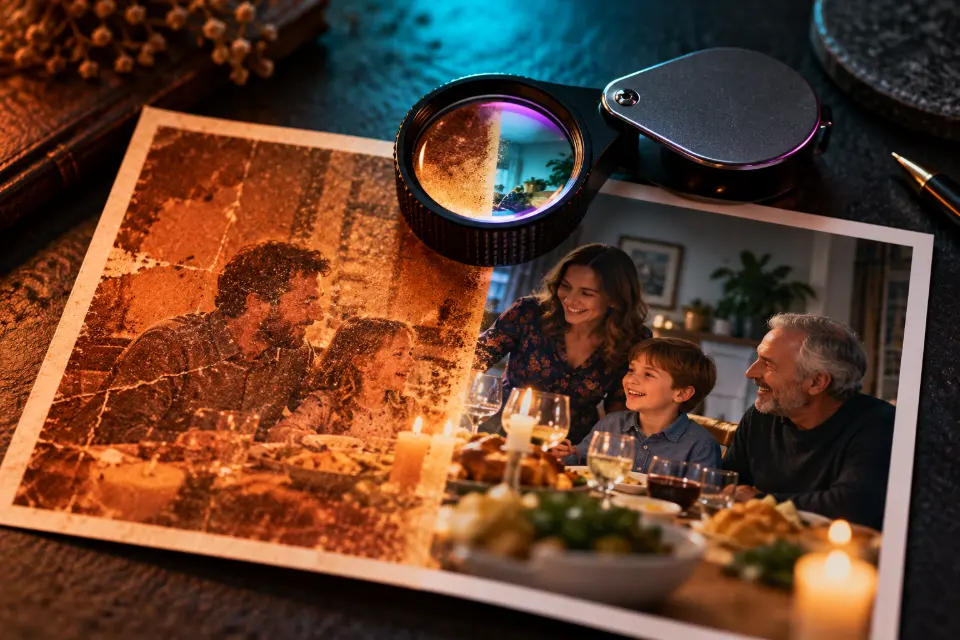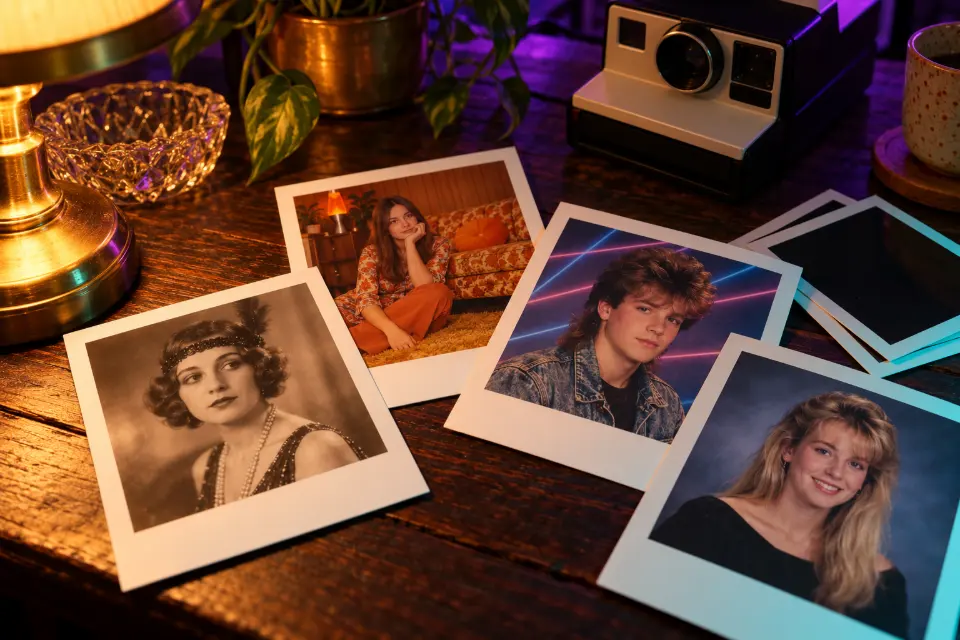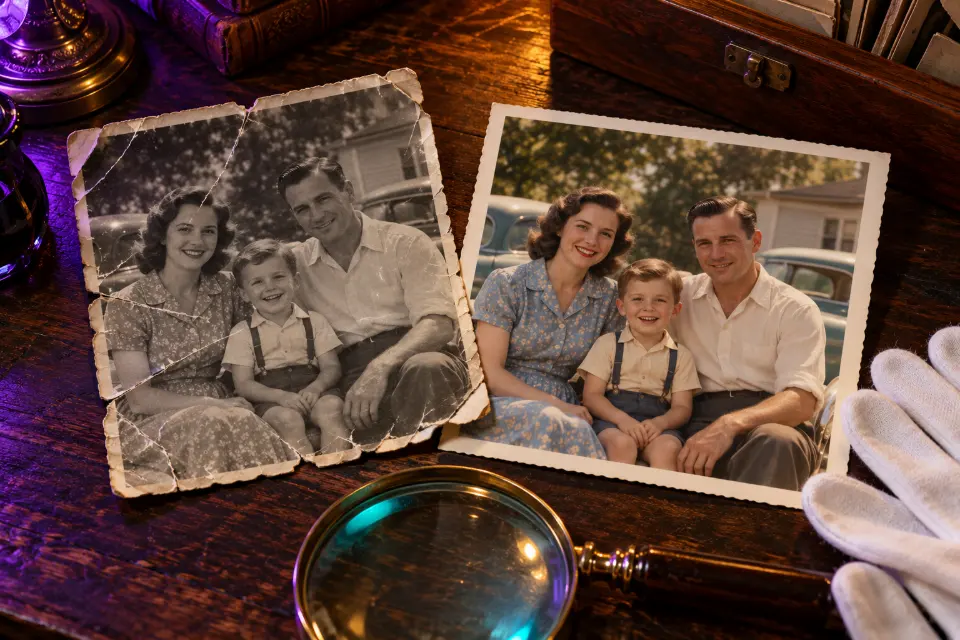
AI photo restoration with a prompt means asking Gemini or ChatGPT to clean up a scanned print: dust, scratches, creases, fading and tears. Done carefully, the result looks the way the photo did when it came back from the lab. Done carelessly, the model “improves” your great-grandmother into a stranger with a modern smile.
Every prompt below is written for the careful version. Each one says what must stay as it is, names the damage and asks only for that repair. Colorizing gets its own prompts, because color is a guess the model makes, not something it recovers.
The short answer
Scan or photograph the print flat and evenly lit, upload it to Gemini or ChatGPT and paste the prompt for your type of damage. Keep the original scan, and compare every face with it before you share the result.
Can AI restore old photos without changing them?
Partly. Models are good at removing dust, filling thin scratches, evening out fading and rebuilding plain areas such as sky, walls or a dark jacket. They are weaker where the original detail is gone: a face split by a crease, an eye lost to a stain, a background torn away. There the model has to invent, and it invents from modern faces and modern photos.
The safest restorations ask for less. Clean first, then judge whether a face really needs rebuilding. A small visible scratch is often more truthful than a smooth face that is not quite your grandfather’s.
How to restore old damaged photos: start with a good scan
A clean starting file saves more detail than any prompt can bring back, and it is the copy you will return to when better models arrive.
- Use a flatbed scanner at 600 dpi or more for small prints. A phone works if you shoot straight down in even daylight without flash.
- Take the print out of its frame or album sleeve, since glass and plastic add glare.
- Scan in color even for black and white photos; the tint shows the paper and the fading.
- Save the untouched scan as your master copy and upload only duplicates.
Gemini AI photo restoration, step by step
Stay in one chat, so Gemini can refer back to the previous version when you ask for a correction. The same steps work in ChatGPT, and Prompt Studio can rewrite each prompt for the model you prefer.
- Upload the scan in a new Gemini chat.
- Paste the prompt that matches the damage and send it unchanged.
- Compare the faces with the original at full size.
- Ask for one more repair at a time, such as “now remove only the stain on the left”.
- Colorize in a separate message once the black and white restoration looks right.
14 prompts to copy and adapt
Remove dust and scratches, nothing else
Restore this scanned old photo by removing only dust specks, white scratches and small spots. Keep every face, expression, hairstyle, piece of clothing, the background and the original black and white tones exactly as they are. Do not sharpen faces, add detail, change the lighting or colorize. Keep the natural film grain.The most conservative restoration and the one to try first. If the result looks too clean, ask for more of the original grain.
Repair a fold line across the photo
This old photo has a fold line running across it. Remove the crease and the cracked emulsion along the fold, rebuilding only the narrow damaged strip from the surrounding detail. Keep all faces, clothing, the background and the tones exactly as in the original. Where the fold crosses a face, repair it gently without changing the features.Limiting the repair to “the narrow damaged strip” stops the model from repainting the whole picture.
Fill a torn or missing corner
The top right corner of this old photo is torn off. Fill in the missing corner by continuing the background that is visible nearby, such as the wall, sky or floor. Keep every person and the rest of the image exactly as it is, and do not add new people, objects or text in the filled area.Name what is next to the gap so the model continues it. If a person is cut off, leave it rather than inventing half a figure.
Faded 1970s color print with a magenta cast
This color print from the 1970s has faded and turned magenta and orange. Restore balanced, natural colors as they would have looked when the photo was new, with realistic skin tones and neutral grays. Keep all faces, the clothing colors that are still visible, the composition and the slight softness of the original film exactly as they are.This is a correction, not a colorization, because the original colors are still partly there. Keep the soft look; modern sharpness looks wrong on 1970s film.
Water stains and yellowed paper
Remove the brown water stains and the uneven yellow discoloration from this old photo. Keep every face, the clothing, the background and the original tones exactly as they are. Even out the paper tone, rebuild small areas hidden by the stains only from nearby detail, and leave any area alone where the original content is unclear.The last clause is your guard against invented details. A face hidden under a stain may need a professional.
Phone photo of a framed print
This is a phone photo of an old framed print, with glare from the glass and a slight angle. Straighten the perspective so the print is a flat rectangle, remove the reflections and glare, and crop away the frame. Keep the faces, the tones and the content of the print exactly as they are, without restoring or colorizing yet.Fix the capture first and restore in a second step. Better still, take the print out of the frame and photograph it again.
Colorize with the colors you actually know
Colorize this black and white photo. Keep every face, expression and detail exactly as in the original. Use these known colors: [her dress was dark blue, his suit was brown, the front door was green]. For everything else, choose muted, period-appropriate colors and realistic skin tones, and keep the original grain and softness.Ask relatives what they remember before you colorize; known colors turn a guess into a record. Delete the list if nobody knows.
Restore and colorize a 1950s wedding portrait
Restore this 1950s wedding portrait. Keep the faces, expressions, the bride’s veil and lace pattern, the groom’s suit and the composition exactly as they are. Remove scratches, dust and fading first, then add soft, natural colors: ivory dress and veil, dark suit, white flowers with green leaves, warm but realistic skin tones. Do not add jewelry or smiles.Naming the lace keeps the dress from being smoothed into plain fabric. Wedding photos get reprinted often, so keep the original scan safe.
Portrait in uniform without invented medals
Restore this old portrait of a man in uniform. Keep his face, the uniform, insignia, buttons and any medals exactly as they appear, without adding, removing or redesigning any of them. Remove dust, scratches and fading, sharpen only slightly, and keep the original black and white or sepia tone.Insignia and medals carry family history, and invented ones mislead the next generation. Colorize only if records tell you the colors.
Very old sepia print, kept sepia
Restore this very old sepia photograph. Keep the faces, the formal pose, the clothing and the warm brown sepia tone exactly as they are. Remove spots, scratches and the silvery sheen at the edges, even out the fading, and keep the soft focus of early photography. Do not colorize and do not modernize the faces.Early photographs look right when they stay soft and brown. Sharpening them to modern standards makes them look fake.
Class or family group photo with small faces
Restore this old group photo with many small faces. Remove dust, scratches and fading across the whole image. Keep every face, its position and its expression exactly as in the original, and do not sharpen or redraw faces that are too small to show detail. Keep the original tones and grain.Small faces are where models invent the most. To show one person larger, crop them from a high-resolution scan instead.
Faded instant print from the 1980s
Restore this faded instant-film print from the 1980s. Keep the white border, the square composition, all faces and the soft instant-film look exactly as they are. Bring back the faded colors and contrast as they would have looked when new, remove scratches and spots, and keep the slightly dreamy color shift typical of instant film.The border and the color shift are what make it an instant print. Drop “keep the white border” if you only want the image.
Modern reinterpretation, clearly labeled
Create a new image inspired by this old photo, showing the same people in the same pose as if photographed today with a modern camera: natural color, sharp focus, soft daylight. Keep their faces and features as close to the original as possible. This is a creative reinterpretation, not a restoration.This is the “modernize an old photo” trend. Label the result as a reinterpretation when you share it.
Gentle living photo from a restored portrait
Animate this restored portrait very gently. The person keeps the same pose and expression, blinks once and breathes slightly, with a tiny natural head movement. Static camera with a very slow push-in. Keep the face, clothing and photo tones exactly as they are. No talking, no new smile and no changes to the background.Moving photos of relatives touch some people and unsettle others, so ask the family before you share one. Start from the restored still, not the damaged scan.
Colorize old photos without guessing wrong
Black and white film records brightness, not color. A red dress and a green dress of the same brightness look identical in gray, so a model can only choose what is likely. That is why colorized photos are interpretations. You can make them more truthful with what you know: family memories, a surviving piece of clothing, a postcard of the town from the same years.
When you share a colorized photo, call it colorized and keep the black and white restoration next to it. Future relatives will thank you for knowing which version is the record.
When to use a professional restorer
A prompt is a good first pass for most family snapshots. A professional restorer or photo conservator is the better choice when a one-of-a-kind print has lost large parts of a face, when the photo is going into an archive or a published family history, or when the print itself is cracking, flaking or stuck to glass. AI only works on a digital copy; it does nothing to save the physical photo. A restorer also documents what was rebuilt, which an AI chat does not.
Damage, first prompt and when to stop
| Damage | Start with | Get help when |
|---|---|---|
| Dust, spots, thin scratches | Remove dust and scratches, nothing else | Rarely needed |
| A fold line | Repair a fold line across the photo | The fold runs through an eye or a mouth |
| Torn or missing corner | Fill a torn or missing corner | Part of a person is missing |
| Brown stains | Water stains and yellowed paper | A face is mostly hidden |
| Faded color | Faded 1970s color print with a magenta cast | Colors stay muddy after two tries |
Questions and answers
What is the prompt for old photo restoration?
A good one names what to keep, the damage and the repair, and forbids additions: “Remove dust and scratches. Keep every face, expression and the black and white tones exactly as they are. Do not add detail or colorize.” Start there and add one repair per message.
Can ChatGPT restore old photos too?
Yes. Upload the scan and paste the same prompts. If a face matters, run the prompt in both Gemini and ChatGPT and keep whichever result stays truer to the original.
Are colorized photos accurate?
Only as accurate as the information behind them. The model picks colors that are likely, not colors that were there, so known details from relatives make a colorization far more truthful.
How do I restore and colorize old photos in one go?
You can, as in the wedding prompt, but two steps give more control: restore first, check the faces, then colorize in a second message. If something goes wrong, you know which step caused it.
Is it okay to share restored photos of relatives?
Within the family, usually yes. Ask living relatives before posting photos of them publicly and label colorized or reinterpreted images. Images made with Gemini can carry Google’s invisible SynthID watermark.
Does AI restoration protect the physical print?
No, it only improves a digital copy. Store the original in an acid-free sleeve away from light and damp, and ask a photo conservator if the print itself is cracking or flaking.