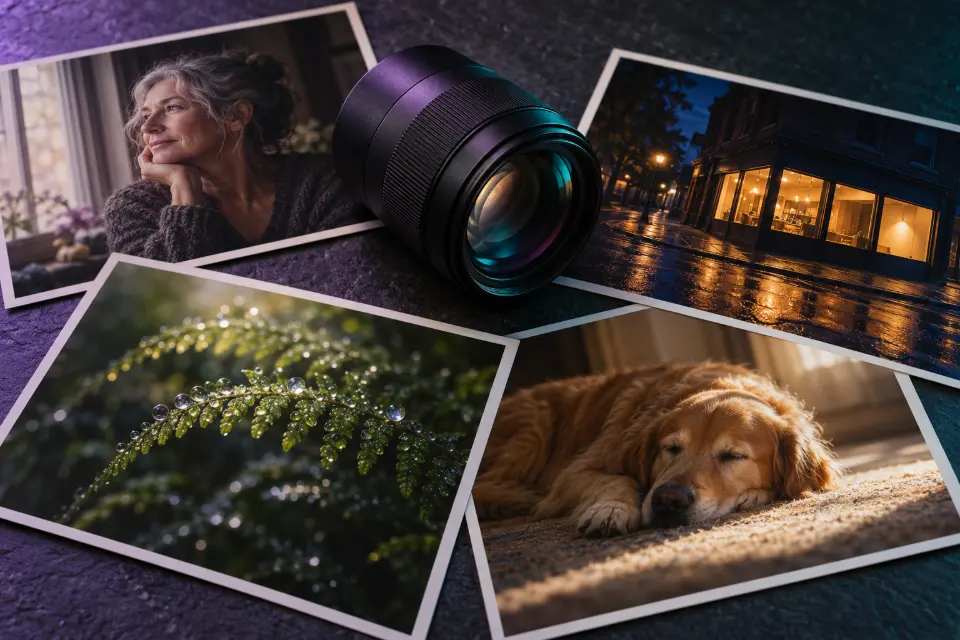
A realistic AI image comes from a prompt that describes a photograph rather than a picture: where the camera stands, which lens it uses, where the light comes from and the small flaws real photos have, such as skin texture, stray hairs or a background that is not perfectly tidy. Add those, and FLUX.2, Midjourney, ChatGPT or Gemini will usually give you something that passes as a photo.
The 14 prompts below are built that way, for portraits, everyday scenes, interiors, nature and close-ups, plus two edits that make existing pictures look more natural. A cheat sheet of camera words follows the prompts.
The short answer
Pick a prompt, replace the bracketed words and keep the camera and light phrases as they are, since they carry the realism. If the result still looks glossy, add “natural skin texture, slight film grain, unretouched” and try again.
How to create a realistic AI image with a prompt
Think like the person holding the camera. A real photo is taken from somewhere – eye level across a table, low on the ground, from a doorway – with a particular lens and whatever light was there. When a prompt says only “realistic photo of a woman in a kitchen”, the model fills in a perfectly lit, perfectly centered scene that nobody would ever photograph by accident.
Words such as “hyper realistic”, “ultra detailed” and “8K” rarely help. They tend to push results toward an over-sharpened, glossy look that reads as computer graphics. A plain description of an ordinary moment, a named light source and one or two imperfections do far more.
Which light words make AI photos look real?
Light is the fastest way to make a prompt feel photographed rather than rendered. Name one source and describe it the way you would see it:
- “Soft window light from the left” for portraits and still life indoors.
- “Overcast daylight” for even skin and honest colors.
- “Low sun behind the subject” for warm rim light and a little flare.
- “Direct on-camera flash” for the bright-face, dark-background party look.
- “Mixed light from a shop window and streetlights” for believable night scenes.
- “Light falling off into shadow” to stop everything being evenly bright.
Why does my realistic AI image still look fake?
The usual giveaways are skin without texture, eyes that are too bright, perfect symmetry, a background with nothing out of place and light that does not match between the subject and the scene. Hands and small text, such as labels or signs, also break the illusion quickly.
Each one has a prompt fix. Ask for “visible pores and fine lines”, “slightly off-center framing”, “everyday clutter in the background” or “a few stray hairs”. Give hands a simple task, like holding a mug, and keep text out of the scene unless you need it. Then check the result at full size before you use it anywhere.
14 prompts to copy and adapt
Window-light portrait in a kitchen
Portrait of a woman in her sixties leaning on a kitchen counter with a cup of coffee, soft overcast light from a window on the left, visible pores and fine lines, a few loose gray hairs, everyday clutter blurred in the background, 85mm lens at f/2, eye level, natural colors, unretouched“Unretouched” and the clutter behind her do more for realism than any quality tag. Change the age and the drink, keep the window light.
Candid street photo at a crosswalk
Candid street photograph of a man in a rain jacket waiting at a crosswalk on a gray afternoon, glancing at his phone, a city bus passing behind him as a slight motion blur, wet asphalt reflections, 35mm lens at eye level, slightly off-center framing, muted colors, fine grainOff-center framing and motion blur suggest a moment caught, not staged. Swap the weather and the street details to fit your story.
Smartphone photo of a dinner with friends
Casual smartphone photo of four friends laughing around a small kitchen table after dinner, half-empty glasses, a candle and pasta plates, warm ceiling light with slightly blown highlights, wide phone lens with a little edge distortion, one person partly cut off at the frame edge, slight noise, unposedPhone photos have their own look: wide lens, imperfect framing, mixed light. That ordinariness is what makes this one believable.
Midjourney prompt for realistic photos
Unposed portrait of a [age]-year-old bike courier resting against a brick wall after a shift, sweat on the forehead, a scuffed helmet in one hand, late afternoon side light, 50mm lens, shallow depth of field, honest skin texture, documentary photography, slightly desaturated colorsIn Midjourney, add --style raw to drop the polished default look; that one parameter matters more for realism than any word in the prompt.
Hiker on a ridge under an overcast sky
Environmental portrait of a hiker in a faded orange jacket standing on a rocky ridge, wind pulling at the hood, low clouds over the valley behind, overcast daylight, 24mm wide-angle lens close to the subject, deep focus, natural muted greens and grays, a slightly tilted horizonA wide lens close to the person shows both face and landscape. The tilted horizon is deliberate; perfectly level framing often looks generated.
Macro shot of dew on a fern
Macro photograph of dew drops on the curled tip of a young fern at sunrise, each drop reflecting the forest, 100mm macro lens, very shallow depth of field, soft green and gold background blur, backlight through the leaf showing its veins, crisp focus on one dropFocus on a single drop keeps it real, since macro photos never have everything sharp. Swap the plant for a spider web or a bee on lavender.
Real estate style photo of a kitchen
Interior photograph of a small sunlit kitchen with white shaker cabinets, a butcher-block counter and a bowl of lemons, shot with a wide 16mm lens from counter height, vertical lines perfectly straight, balanced exposure between the bright window and the room, soft natural light, clean but lived-inStraight verticals and a balanced window are what real estate photographers fuss over. Use images like this for mood boards, never to advertise a property as if it were real.
Night scene with mixed light
A late-night corner shop glowing on an empty street, cold fluorescent light spilling onto the wet sidewalk, warm streetlight on the opposite side, a cyclist passing as a soft blur, handheld photo at high ISO with fine grain, slight green cast from the shop lights, 35mm lensTwo light colors and visible grain make night scenes believable; AI lights everything evenly unless told otherwise.
Close-up of hands holding a mug
Close-up photograph of two hands wrapped around a chipped ceramic mug of tea, steam rising, a knitted sleeve pulled over one wrist, visible knuckle creases and short natural nails, soft morning window light, shallow depth of field, warm muted tones, 50mm lensGiving hands one clear job is the most reliable way to get five fingers each. Still zoom in on the result before you use it.
Documentary-style family moment
Documentary-style photo of a grandmother teaching her grandson to roll out dough at a flour-dusted kitchen table, both laughing, flour on his cheek, afternoon light from a side window, a slightly messy counter with bowls and a rolling pin, 35mm lens, natural colors, candid momentReal family photos are messy, which is why the flour and the cluttered counter matter. Change the activity to fit your own family traditions.
Dog asleep in a patch of sun
A golden retriever asleep in a patch of afternoon sunlight on a worn wooden floor, dust floating in the light beam, a chewed toy nearby, low camera angle near the floor, 50mm lens, warm natural light with deep shadows in the rest of the room, fine detail in the furThe light beam and the dark room around it create depth. Name your own dog’s breed and color, and one object it always sleeps next to.
Long-exposure seascape
Long-exposure photograph of waves washing over black basalt rocks under a heavy gray sky, the water smoothed into soft mist by a one-second exposure, rocks sharp and wet, wide-angle lens on a tripod low to the ground, cool muted tones, a faint warm glow on the horizonNaming the exposure time tells the model why the water looks soft, which keeps the rocks crisp instead of blurring everything.
Make an over-filtered photo look natural
Keep my face, features, expression, hair, clothes and background exactly the same. Remove the airbrushed beauty-filter look: bring back natural skin texture with visible pores, reduce the oversaturated colors and the glow around the edges, restore a realistic shadow under the chin and keep the original lighting direction.This is the reverse of most photo edits, and it works because the keep list is long. If it overcorrects, add “subtle, do not add blemishes”.
Relight a flat photo with late sun
Keep the people, their faces, poses, clothes and the whole scene exactly as they are. Change only the light: late-afternoon sun from the left at a low angle, warm highlights on faces and hair, long soft shadows across the ground, slightly cooler shadows, as if the photo was taken an hour before sunset.Relighting often rescues a dull snapshot. Name the side the sun comes from, so all shadows fall in one direction.
What is the most realistic AI image generator?
There is no permanent winner, because every model changes with updates. FLUX.2 from Black Forest Labs is known for photo-real results and also comes in open-weight versions you can run yourself. Midjourney V8.1 looks far more photographic once you add --style raw. ChatGPT, running on GPT Image 2, and Nano Banana 2 in Gemini are strong when you start from your own photo and want it to stay realistic after an edit.
The practical test is to run the same prompt in two models and compare skin, hands and light at full size. In Prompt Studio you can switch the model, and the prompt is rewritten in the form that model expects.
Use realistic AI photos honestly
The more real an image looks, the more care it needs. Do not present AI pictures as real events, as photos of a property for sale or as customer photos in reviews. Edit pictures of people only with their consent, and keep realistic images of strangers out of anything that could embarrass or mislead them.
Some generators mark their output: images made with Gemini can carry Google’s invisible SynthID watermark. Where a platform or a client asks you to label AI images, do it; a short “Image created with AI” costs nothing and keeps trust intact.
Camera words and what they do
| In the prompt | What changes | Use it for |
|---|---|---|
| 24mm wide-angle | More of the scene, stronger perspective | People in landscapes, interiors |
| 35mm | Natural, close to what the eye sees | Street, documentary, everyday scenes |
| 50mm | Neutral view with gentle background blur | Pets, hands, half-body shots |
| 85mm | Flattering faces, soft background | Portraits and headshots |
| 100mm macro | Tiny details very close | Nature, jewelry, textures |
| f/1.8 or f/2 | Shallow depth of field | Separating a subject from busy surroundings |
| High ISO, fine grain | Visible noise like a real low-light photo | Night and indoor scenes |
Questions and answers
Do “hyper realistic” and “ultra realistic” help an AI image?
Rarely. They tend to produce an over-sharpened, glossy look. Describe the photo instead: where the camera is, which lens, what light, and one ordinary detail that makes the moment believable.
What does photorealistic AI mean?
It means an AI-generated image that is meant to be hard to tell apart from a photograph. The prompt does most of the work, through camera, light and texture words, but the model you choose matters too.
Can I use these realistic AI prompts in Gemini?
Yes. Nano Banana 2 in Gemini understands the same camera and light words. For edits of your own photo, start with the keep sentence and ask for one change at a time.
How do I make AI people look real?
Give them a plausible age, a task and an imperfection: “a man in his forties fixing a bike chain, grease on his fingers, tired eyes”. Avoid perfect symmetry and studio-smooth skin unless you want a studio look.
Why are the hands wrong in realistic AI photos?
Hands are complex and often partly hidden, so models still make mistakes. Give hands a simple action, keep them away from the edge of the frame and zoom in on every result.
Can I use a realistic AI image in ads or listings?
As an illustration or a concept, yes, but never to show a product, place or result that does not exist. Many platforms require AI images to be labeled, and misleading ones break advertising rules.