
Create & edit · Free
Free acapella extractor: isolate vocals from any song
Isolate the vocals of any song and download a clean acapella. The AI vocal isolator runs in your browser – free, private and without an upload.
- No account
- Runs on your device
- Phone & desktop
Separate a song
Your song stays on this device
Drop a song here
MP3, WAV, M4A, FLAC, OGG and most videos (MP4, MOV, WebM), up to 10 minutes. The song is read and separated in this browser.
The first separation downloads the AI model once (171 MB). After that it starts right away, even offline.
Your stems are ready
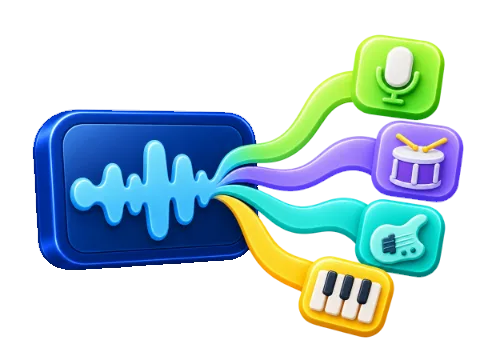
- Vocals
- Drums
- Bass
- Other instruments
Keyboard: Space play or pause · ← → 5 seconds · L loop on or off
Your song stays on this device. The file is decoded and separated in your browser. LoschaZ never receives it; the only downloads are the AI model and its engine, once.
Fastest with WebGPU. In Chrome or Edge on a recent computer a three-minute song usually takes well under a minute. Without WebGPU the processor does the work and it takes several minutes.
How to extract an acapella
Choose the song
Drop the audio file or video with the vocals you want. The best source file gives the cleanest acapella.
Separate
The AI splits the song into vocals, drums, bass and other instruments. The page starts on Vocals only.
Check the result
Play the acapella and listen for traces of instruments. Switch on another stem quietly if you want a little backing.
Download vocals
Save the isolated vocals as a WAV file in CD quality, ready for remixes, covers or practice.
Getting clean vocals
The vocal stem holds lead vocals, harmonies and backing voices together. Effects on the voice stay with it: reverb and delay are part of the acapella, which usually sounds natural. Instruments that sound very close to a human voice, such as a lead synth or a violin, can leave a soft trace.
For remixes, a short fade at the start and end of each phrase in your audio editor removes most leftover sounds between lines. Singers who want to learn a melody can also keep the bass stem quietly underneath as a pitch reference.
Uses for an isolated vocal
- Remixes and mashups with a new beat
- Learning the exact phrasing, breathing and harmonies of a singer
- Writing down lyrics that are hard to hear in the full mix
- Checking your own cover against the original voice
Publishing a remix needs the rights to the original recording. For practice and study at home, an acapella is a great tool.
Frequently asked questions
Are backing vocals included in the acapella?
Yes. The vocals stem holds the lead voice together with harmonies and backing vocals. Choirs that blend into the arrangement can partly land in Other instruments.
What format is the acapella?
A stereo WAV file at 44.1 kHz and 16-bit, the same length as the song, so it stays in time when you put it back over the beat.
Is my song uploaded to isolate the vocals?
No. The isolation runs in your browser and the song stays on your device. Only the AI model downloads, once.
Take a break
Free games for a short break
 Endless Platformer
Hoplings: Sky Parade
Steer Nova through changing skies, shoot mischievous monsters and chase your next height record.
 Idle Tycoon
Tiny Skies Airport
Clear planes for takeoff, grow your terminal and open routes from a grass strip to a world hub.