
Create & edit · Free
Free AI vocal remover and stem splitter
Remove the vocals from any song, or split it into vocals, drums, bass and the other instruments. The AI runs right in your browser: no upload, no account, no watermark.
- No account
- Runs on your device
- Phone & desktop
Separate a song
Your song stays on this device
Drop a song here
MP3, WAV, M4A, FLAC, OGG and most videos (MP4, MOV, WebM), up to 10 minutes. The song is read and separated in this browser.
The first separation downloads the AI model once (171 MB). After that it starts right away, even offline.
Your stems are ready
- Vocals
- Drums
- Bass
- Other instruments
Keyboard: Space play or pause · ← → 5 seconds · L loop on or off
Your song stays on this device. The file is decoded and separated in your browser. LoschaZ never receives it; the only downloads are the AI model and its engine, once.
Fastest with WebGPU. In Chrome or Edge on a recent computer a three-minute song usually takes well under a minute. Without WebGPU the processor does the work and it takes several minutes.
How to remove vocals from a song
Choose the song
Drop an MP3, WAV, M4A, FLAC or OGG file into the box, or choose a video. The browser reads it; nothing is uploaded.
Press Remove vocals
The first time, the AI model downloads once (171 MB). The song is then separated in parts of about eight seconds, and the progress bar shows how far along it is.
Listen and adjust
Instrumental plays the song without the voice. Vocals only gives you the acapella. Switch single stems on or off and change their volume to make your own mix.
Download
Save the instrumental, the vocals or any single stem as a WAV file in CD quality (44.1 kHz, 16-bit, stereo).
Four stems from one song
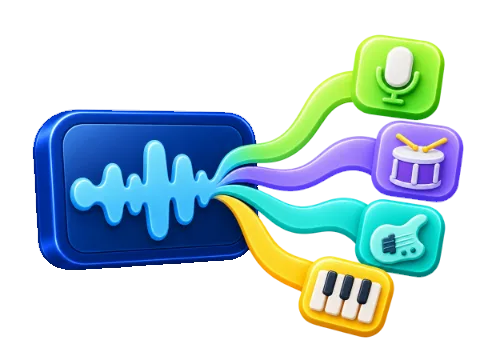
The Vocal Remover does not just cut out the middle of the stereo picture like old karaoke tricks. An AI model listens to the whole song and rebuilds it as four separate tracks, called stems:
- Vocals – lead and backing voices, the acapella
- Drums – kick, snare, cymbals and other percussion
- Bass – bass guitar, synth bass and low notes
- Other instruments – guitars, piano, strings, synths and everything else
Played together, the four stems sound like the original. The instrumental is simply drums, bass and other instruments without the vocals, which is what most people mean when they search for a vocal remover or a karaoke version of a song.
How the AI separates a song
The separation uses Hybrid Transformer Demucs (htdemucs), an open-source model from Meta’s research team, trained on thousands of songs to tell voices and instruments apart. It looks at the sound twice at the same time: as a waveform and as a spectrogram, the picture of which frequencies sound when. A transformer connects both views, so it can follow a voice even when a guitar plays the same notes.
The song is processed in overlapping parts of about eight seconds, and the overlaps are blended smoothly so you hear no seams. All of this runs on your device with ONNX Runtime Web, on the graphics chip when the browser supports WebGPU and on the processor otherwise.
Tips for the cleanest result
- Start from the best file you have. A WAV, FLAC or high-bitrate MP3 separates more cleanly than a low-quality copy.
- Studio recordings work best. In live recordings the crowd and the room echo mix with the voice and some of it stays in the instrumental.
- Heavy reverb and effects on the voice can leave a faint trail in the instrumental. Lower the vocal stem instead of muting it, or keep a little of it for a guide vocal.
- Backing choirs that sound like an instrument sometimes land in Other instruments. Listen to the vocals stem and the other stem to find them.
- For karaoke, try the instrumental with the vocals stem at 10 to 20 percent: a quiet guide voice helps you keep the melody.
Mix, loop, change key and speed
After the separation the Vocal Remover works like a small studio: every stem has a waveform, mute (M), solo (S) and a volume slider, and presets switch between Instrumental, Karaoke with a quiet guide voice, Vocals only, No drums, No bass and All stems.
- Key – up to six semitones up or down, tempo unchanged.
- Speed – 50 to 150 percent, pitch unchanged.
- Loop – repeat one part to practise it.
- BPM and key – estimated from the drums and the harmonic stems.
- Downloads – single stems, instrumental, vocals, your mix or all stems as a ZIP, with the changed key and speed.
High precision separates every part twice and averages the results; in our test that was about 0.6 dB cleaner.
Privacy and music rights
Your song is never sent to a server: it is decoded, separated and saved by your browser, so it is private by design. Removing vocals for your own karaoke night, practice or study is fine. If you want to publish a remix, a cover backing track or a video that uses the stems, make sure you have the rights to the original recording, as the song still belongs to its owners.
Frequently asked questions
Is the Vocal Remover really free?
Yes. The Vocal Remover is free, with no account, no daily limit and no watermark on the files. The site is funded by ads around the tools, never inside your downloads.
Is my song uploaded anywhere?
No. The song is read and separated in your browser on this device. LoschaZ never receives it. Only the AI model and its engine are downloaded, once.
How long does it take?
With WebGPU in Chrome or Edge on a recent computer, a three-minute song usually takes well under a minute. Without WebGPU it runs on the processor and takes several minutes. The first run also downloads the 171 MB model once.
Which files can I use?
MP3, WAV, M4A, AAC, FLAC, OGG, Opus and the audio of most videos such as MP4, MOV and WebM, up to ten minutes and 300 MB. The downloads are WAV files in CD quality.
Can I get the vocals only (an acapella)?
Yes. Choose Vocals only to hear the isolated voice and press Download vocals. The Acapella Extractor page opens on the vocals right away.
Why can I still hear a bit of the voice?
Reverb, echo and backing vocals that blend with the instruments are hard to separate completely. Studio recordings in good quality give the cleanest instrumental; live recordings and low-quality files leave more traces.
Does it work on my phone?
Yes, in current browsers on Android and iPhone. A phone needs more time and enough free memory, so very long songs separate more reliably on a computer.
Can I use the stems in my videos or remixes?
For your own practice, karaoke and study, yes. To publish anything that uses the stems, you need the rights to the original song, because the recording still belongs to its owners.
Take a break
Free games for a short break
 Endless Platformer
Hoplings: Sky Parade
Steer Nova through changing skies, shoot mischievous monsters and chase your next height record.
 Idle Tycoon
Tiny Skies Airport
Clear planes for takeoff, grow your terminal and open routes from a grass strip to a world hub.