The short answer
Tap the anvil, build, recruit heroes and spend gold on hero milestones at levels 10, 25, 50, 75 and 100. From stage 13, keep the Lumi-Burst for bosses, parry the big boss strike when the red ring is small, and use the free "Fight on" once a day when a boss escapes with almost no health left.
Play free in your browserWhy Lumivale is a good game to play when you are bored
Most games to play when bored ask for one of two things: a lot of time or a lot of attention. Lumivale needs neither. It is an idle game, so your kingdom keeps earning while you are away, and when you come back a session of two or three minutes is enough to spend the gold, try a boss and move a little further.
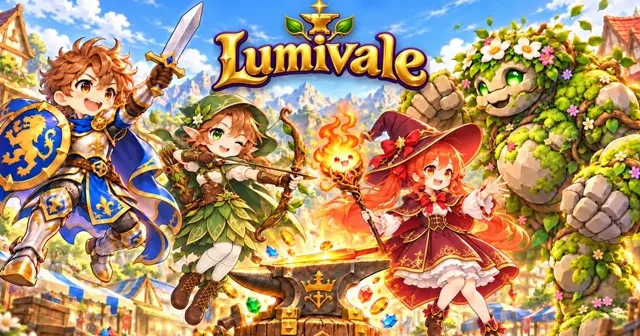
It is also an anime game in look and feel: eight chibi heroes with their own skills and portraits, twelve painted regions from a flower meadow to a moonlit citadel, and a story told by Mira, the guide who finds you next to the royal anvil. If you like anime games but do not want to install anything, Lumivale runs straight in the browser on a phone, a tablet or a computer.
It suits different moods, too. Fast players tap through the stages and chase the leaderboards; calm players let the heroes fight on their own and decorate the kingdom. Both work, and nothing in the game punishes a break.
- Short sessions: a stage has ten monsters, and a boss fight lasts 30 seconds at the start.
- Progress while you are away: the treasury collects for at least 2 hours, more as your kingdom grows.
- Free-to-play in the browser: no download, no account, six languages.
- For anime fans: chibi heroes, story scenes and a monster book to complete.
What is new in Lumivale (October 2026)
The last weeks brought a run of updates. These are the ones you notice most while playing.
- The Lumi-Burst: from stage 13 every hero strikes at once. The meter fills in 45 seconds, and the blow deals 30 seconds of your party's damage plus a quarter of a boss's full health.
- Burst skills: in the crown menu, crowns buy "Charge", "Strength" and "Might" for the Lumi-Burst, up to level 30 each, with a star every ten levels.
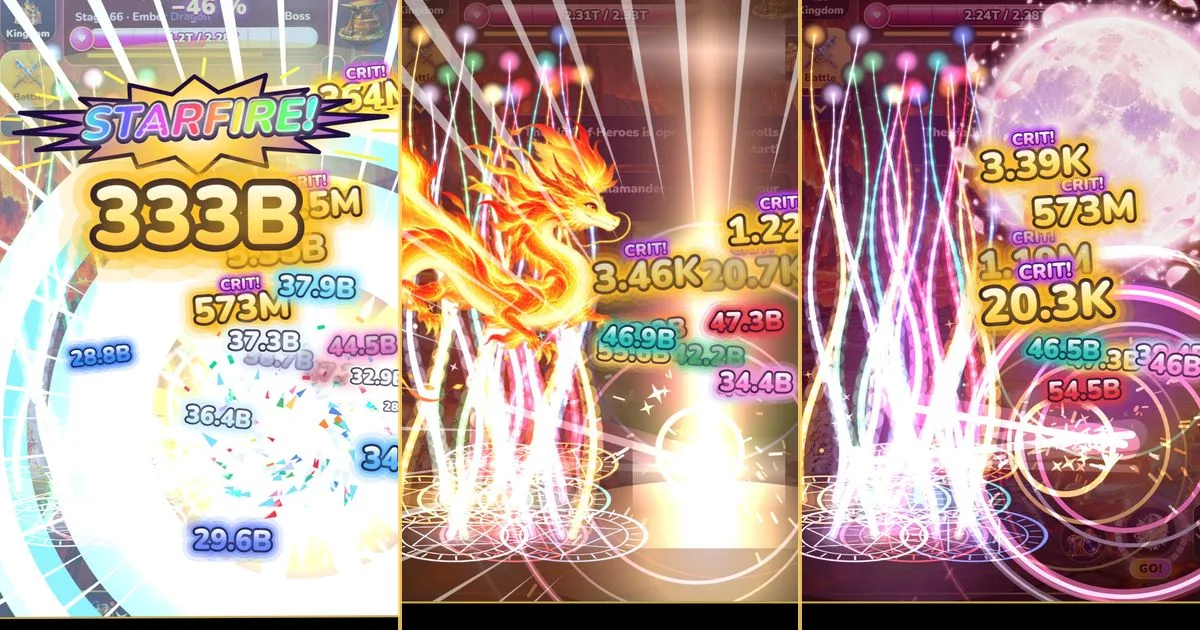
- Burst styles: three optional colour worlds for the burst – Starfire with a meteor shower, Dragonglow with a dragon of flame, Moonbloom with a rising full moon. They change only how it looks.
- Name designs: eight kinds of effect lettering for your name in rankings, the chat, profiles, friend lists and teams, from rare to mythic, each with a bonus of its own.
- A status panel in your profile: your party power right now and the highest it has ever been, with record stage, crowns, gold per second and bosses beaten next to it, and every other value one tap away.
- "Fight on": when a boss escapes with 10 % health or less, the fight pauses and you can get 15 more seconds – free once a day.
- A calmer start: a spotlight tutorial shows the next thing to tap, and windows, story scenes and offers now wait for 25 seconds of free play after each other.
Tips for faster progress
These steps follow the order in which the game opens up. Each one comes from the game's own rules, not from guesswork.
Buy to the next milestone
Heroes double their damage at levels 10, 25, 50, 75 and 100, then every 25 levels. Buildings double their output at 10, 25, 50, 100 and later steps. Taking one hero to the next milestone usually beats spreading the gold across many.
Keep the Lumi-Burst for bosses
On normal monsters the burst only deals its party damage. On a boss or champion it also takes 25 % of the full health, up to 40 % with the "Might" skill, so a full meter at the start of a boss fight is worth far more.
Parry the big strike
Now and then a boss glows red and a ring closes in. Tap the boss when the ring is small: the strike breaks, the boss is stunned, it takes four seconds of your party's damage and the timer gets two seconds back.
Use the free "Fight on"
If a boss or a dungeon run ends with 10 % health or less left, choose "Fight on" for 15 more seconds. The first time each day is free, after that it costs 40 gems, and there is one chance per fight.
Rebuild the kingdom at the right moment
From stage 40, "Rebuild the Kingdom" starts a new age and pays crowns. Crowns grow faster than the stage you reach, so push a little further while you still move quickly, and rebuild when progress slows to a crawl.
Come back before the treasury is full
Offline earnings stop when the treasury is full: at least 2 hours, up to 16 hours plus your crown rank. The "Welcome back!" window tells you when it ran full, so you know how often to look in.
Name designs and their bonuses
Name designs are optional purchases in the "Looks" tab of the shop. Your name appears in effect lettering wherever other players see it, and the design you wear gives a bonus that nothing else in the game gives. Only the worn design counts, and the bonuses never work in the world boss, team raids or the tower, which are ranked.
The table lists every design with its tier and bonus: the rarer the design, the stronger its bonus. You will find the prices in the game's shop – and thank you to everyone who supports Lumivale that way.
| Design · Tier | Bonus while worn |
|---|---|
| Starfire · Rare | A shooting star every 45 s for 8 s of party damage |
| Dragonglow · Rare | Bosses and champions start with 4 % less health |
| Moonbloom · Rare | +15 % offline gold |
| Toxic · Epic | Bosses and champions lose 0.3 % of their health every second |
| Aurora · Epic | Hero skills last 25 % longer |
| Rainbow · Legendary | +4 gems from every boss |
| Glitter · Legendary | 8 % of kills rain 5× gold |
| Cosmic · Mythic | A meteor every 30 s for 10 s of party damage and +12 % chance per boss for a star key shard |
On a phone, saving and coming back
Lumivale plays in portrait and landscape. The side tiles fold away, the Lumi-Burst button can be tucked to the edge of the screen, and music and sound effects have their own sliders from 0 to 100 %.
Progress saves in your browser by itself. To move to another phone or computer, open "Transfer & back up save" in the settings, or turn on the cloud backup when the game offers it. No account is needed for either.
Questions you might still have
Is Lumivale free?
Yes. It is free-to-play in the browser, with no download and no account. An optional shop sells gems, passes and looks, and the site shows ads. Heroes, regions, gear and the story can all be reached without paying.
Is Lumivale a good game to play when bored?
Yes, especially for short breaks. Two or three minutes are enough to spend the gold, try a boss and move on, and the kingdom keeps earning while you are away.
Is Lumivale an anime game?
Its look is chibi anime: eight heroes with their own portraits and skills, story scenes and painted regions. The play itself is an idle RPG with a clicker start.
Do purchases make me stronger?
Some do, a little. Name designs carry a bonus, and gems buy boosts and chests. Burst styles are looks only. Ranked modes such as the world boss, team raids and the tower ignore the name design bonuses.
Which languages does Lumivale speak?
English, German, French, Spanish, Japanese and Chinese. The game follows your browser language, and you can switch it in the settings.
Sources & useful details
These guides are written from the current LoschaZ tools and the sources listed above. Examples are illustrations, not tests on every device or promises of an identical result.